Our simple CV builder keeps
This simple CV builder sets out the headings UK employers expect in a neat, ATS-friendly design, with expert lines for each role you've had.
- Familiar CV headings you can reorder
- Expert wording you pick and edit
- Uncluttered, ATS-friendly designs
- Swap designs and your text follows

Mitchel D.
Jan 2024
“A fantastic source for resume building.”

Pablo
Jul 2022
“I really appreciate all the great tools”

Tracy A.
Mar 2026
“User-friendly, I would recommend it to others.”

Jason B.
Feb 2025
“A great website, I got a job.”
from 4,000+ reviews


How to structure a simple CV for UK employers
A simple CV gives UK employers the facts they look for under headings they already know: how to reach you, what you offer, where you've worked, what you've studied and what you can do. For most jobs that means five headed sections on two sides at most, in a layout an employer can scan in a single pass. With a builder handling the layout, your job is choosing what goes in and what stays out. If your CV runs long, our quick answers cover how to trim it.
Which headings make up a standard UK CV?
Five headings cover most UK CVs, each under a name an employer will recognise:
- Contact details: your name across the top, then a mobile, an email and the town where you're based. A full postal address is optional.
- Personal statement, also called a profile or summary: a short paragraph, around 50 to 100 words, that sums up your experience and says what you're applying for.
- Work history: your jobs from the latest back, each with the employer's name, dates down to the month and three to five bullet points for recent roles.
- Education: your most recent qualification first, with its grade or class, and earlier school results in a single short line.
- Skills: six to eight you can back up from your jobs, from the software you use to any languages you speak.
Most people with work experience put their latest job near the top, under the statement or a short list of key skills. School leavers and new graduates often lead with education instead, since it's their strongest evidence. How to write a CV covers each heading in more depth, and our breakdown of hard and soft skills helps you choose the six to eight worth listing.
Where do interests fit on a simple CV?
On a single line at the end, and only when they show a skill or quality the job asks for. Captaining a Sunday league side suggests leadership, running a club's social media shows marketing skills and helping at a food bank shows you can deal calmly with the public. A line like "reading, travel and socialising" tells an employer nothing new, and it takes space a result could use. One or two specific interests are plenty, and a CV that already fills two sides can leave them out.
What should I leave off a simple CV?
Anything that adds length or clutter without helping an employer judge your work. These are the usual cuts:
- Skill bars, star ratings, icons and text boxes. They say little about what you can do, and screening software can misread them.
- The same duties written out under several similar jobs. Describe them once under the latest role, then use each earlier job's lines for what was different there.
- Short online courses and in-house training, unless the advert names them or they led to a recognised qualification.
- Your reasons for leaving each job and what you were paid.
- A photo, your date of birth or a "Curriculum Vitae" title, none of which a UK employer usually expects. "References available on request" can go too, since most employers take it as read; just keep a list ready to send when one asks.
Cutting these frees room for a result that matters.
What does a simple CV layout look like?
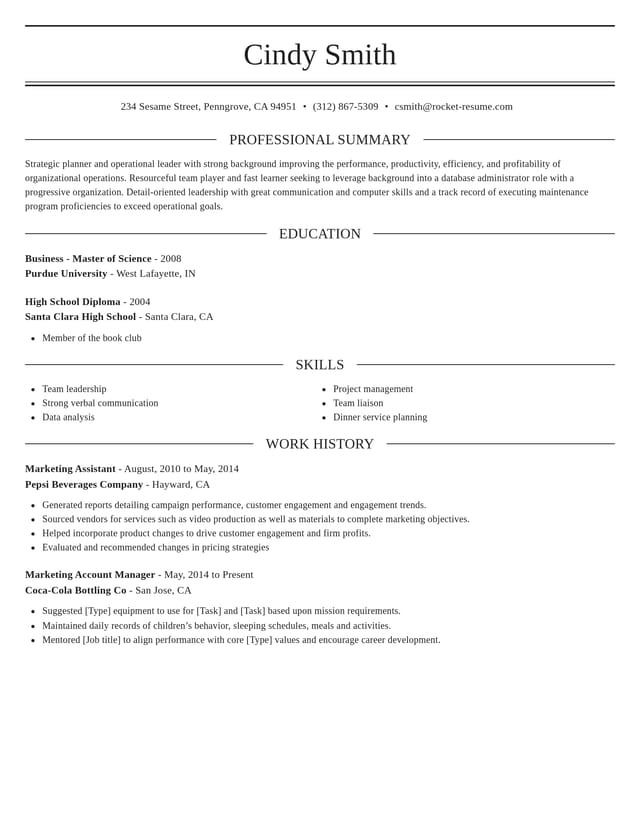
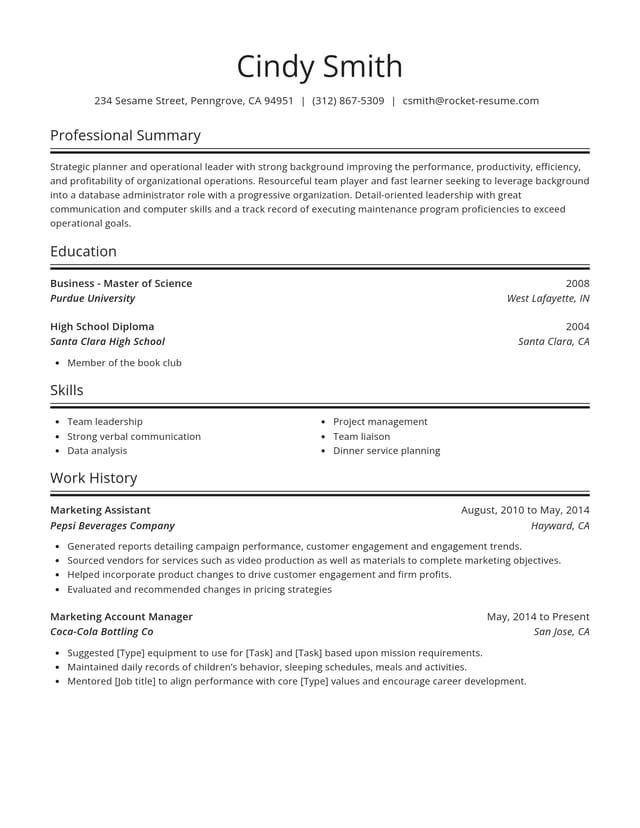
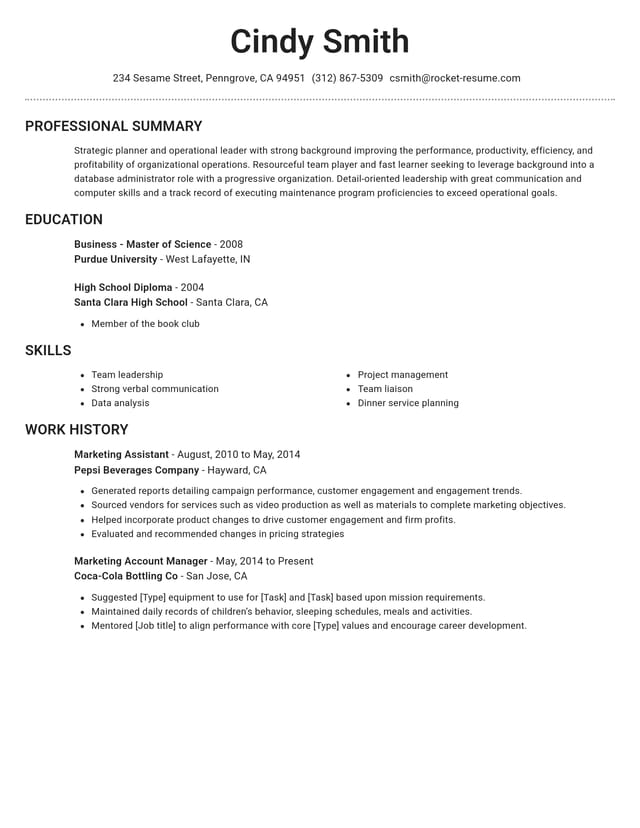
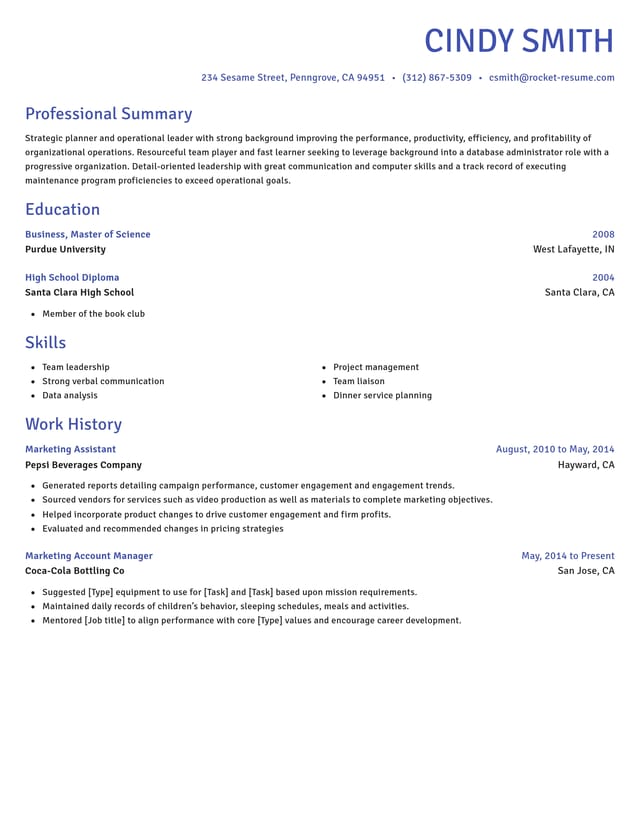
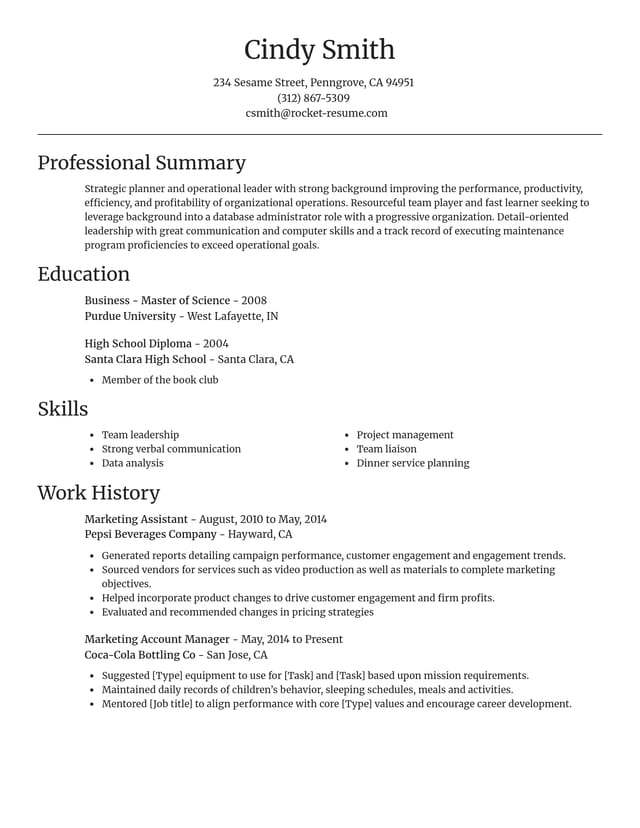
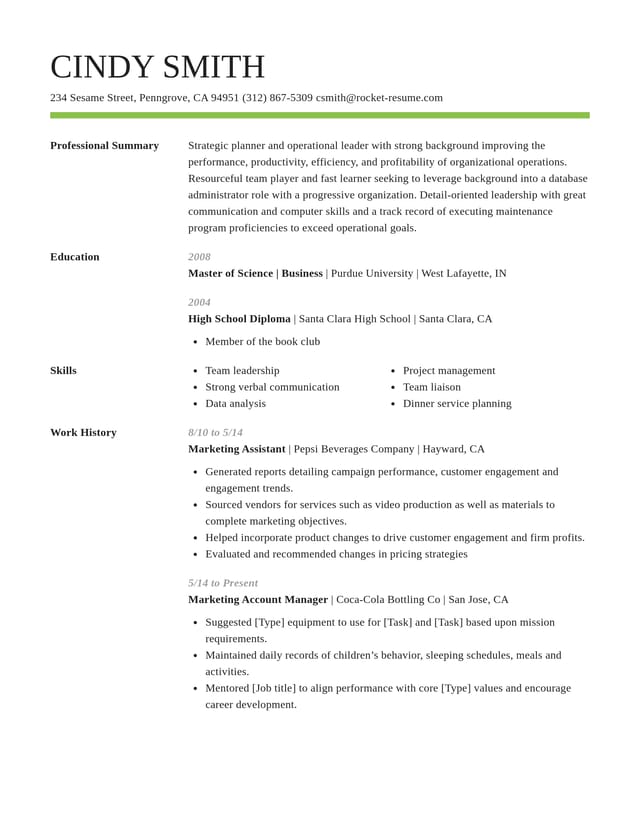
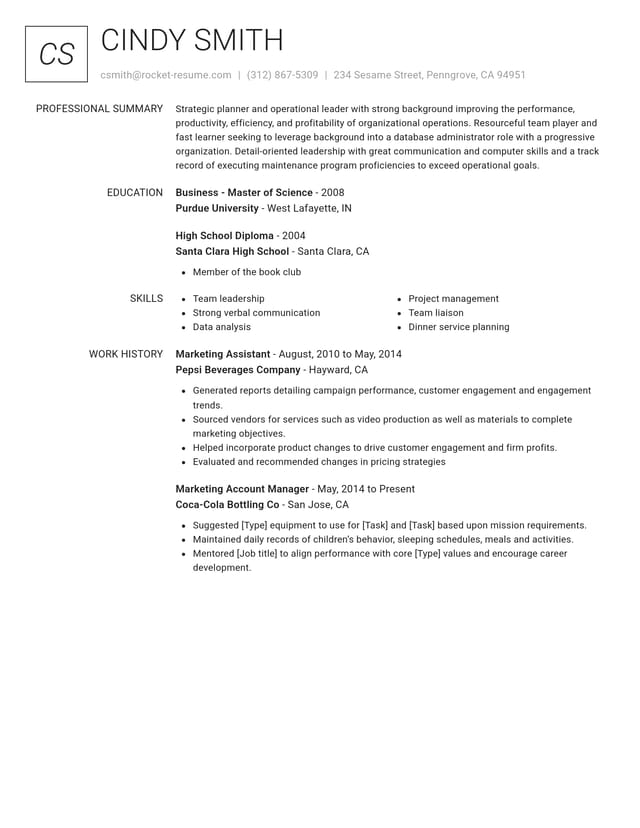
A single column that reads from top to bottom, with bold headings and clear space between sections, so an employer can find any part in seconds. Bullet points of a line or two each let the eye run down a job quickly. If you like colour, use one accent, such as a rule under your name, and keep the body text dark.
Employers now receive far more applications per vacancy (the research below has the figures), so a CV that's quick to scan helps. If you're weighing up a side column, our article on two-column layouts covers when it works and when it gets in the way. The designs in our gallery are all ATS-friendly and set the spacing for you.
Let Rocket Resume keep your CV simple
Rocket Resume's CV builder takes you through one section at a time: your contact details, your jobs, your education, your skills and then your personal statement, which appears on your CV as a professional summary, with optional extra sections at the end. Give it a job title and you'll get AI-enhanced expert lines to trim and keep. You can move any section up or down, for example to put your work history above your skills. The features below show how the spacing stays even as your CV grows. It takes four steps:
- Pick your experience level first, then an uncluttered design you can swap without losing any text.
- Add your jobs from the latest back, picking from the expert lines each title brings up.
- Reword each line you keep until it's short and accurate, and move a section higher if it's your strongest.
- Read the preview through one last time before you download your CV.
Neat CV designs with familiar headings


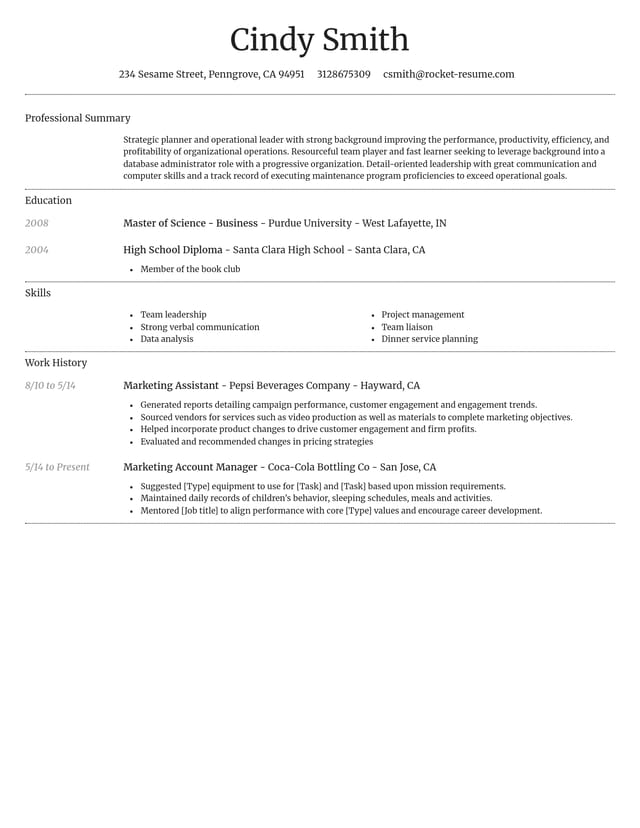
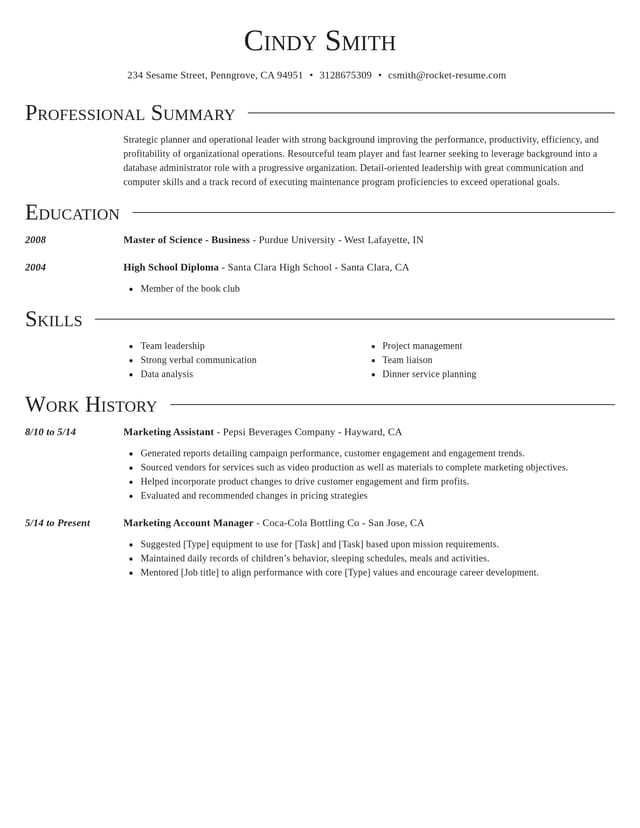
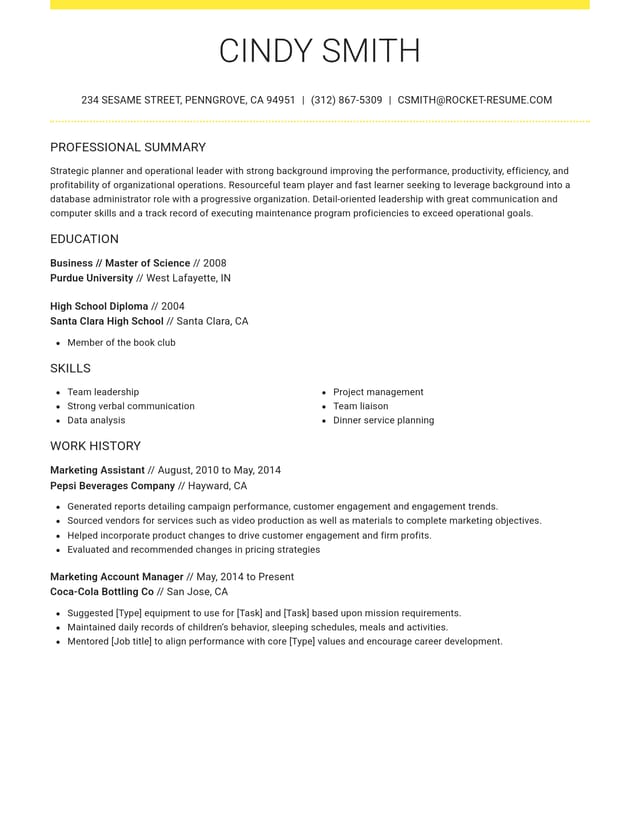
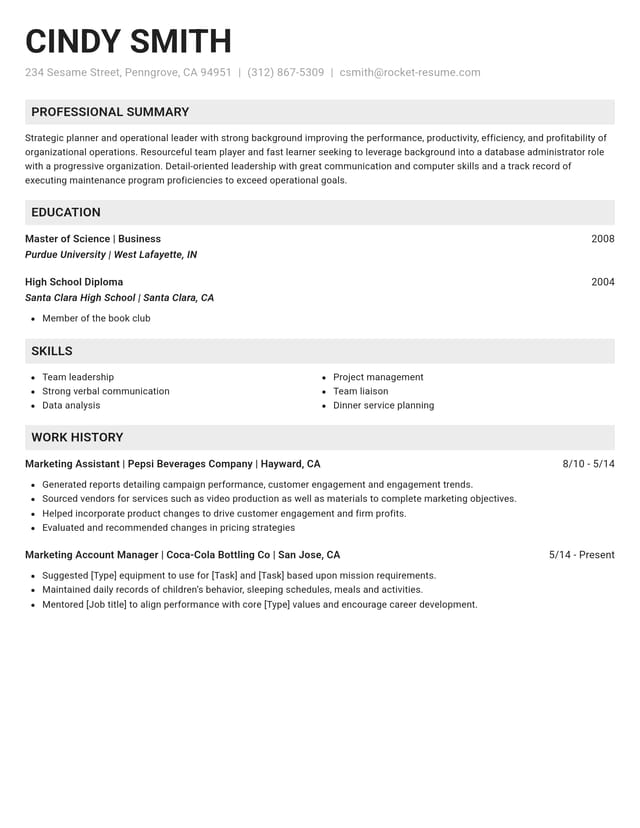
How the builder keeps your CV tidy

Lines up every section for you
Your sections sit under familiar headings with even spacing, and the page stays neat each time you add another job.

Offers expert lines for every role
Name each role you've held to bring up AI-enhanced lines for it. Keep what matches your work and add your own numbers.

Lets you lead with your best section
Studying, or changing careers? Put education or skills nearer the top, where an employer looks first.
Changes the design, keeps your words
Try a different layout at any stage and your text stays as you wrote it, so comparing two designs takes moments.
Why easy-to-scan CVs matter more each year
“This service is amazing, a customer for life.”

“We come back to Rocket Resume, it's the best!”

Simple CV questions, answered
What is a simple CV?
A simple CV lists your contact details, personal statement, jobs, education and skills under familiar headings, usually across one or two sides. An employer can take it in within seconds, since every line is text under a heading they recognise.
Should a simple CV fit on one page?
Not necessarily. Two sides is the ceiling for most British and Irish vacancies, and one full side is fine for a first or second job. If yours runs over, cut bullet points from older jobs before you shrink the text or the margins.
Does a simple CV need a personal statement?
Yes, for most UK applications. It's the easiest part to rewrite for each vacancy: name your field, give one strength with evidence and say which job you're after, in a short paragraph.
Should a simple CV list every job?
Not always. Cover the last 10 to 15 years without unexplained gaps, giving recent or relevant roles three to five bullets. Older jobs can share one line, such as "Earlier roles in retail", unless an employer asks for your full history, as schools and care providers often do.
Is a simple CV better for screening software?
Generally. Screening software sorts your details by heading, so familiar names in a single reading order give it the least to misread. Our designs are all ATS-friendly, so your effort can go into the wording.
Can a simple CV still stand out?
Yes. A plain layout leaves nothing competing with your experience, so make each bullet specific, with a number, a named tool or an outcome. Specific lines on a plain page stand out more than vague ones on a busy design.
Pick your industry, then build your CV
Featured this week




- 6 examples
- 31 examples
- 9 examples
- 17 examples
- 96 examples
- 12 examples






Show all 45 industries (A–Z)Show fewer
- Aerospace & Defense, 8 examples
- Agriculture, 23 examples
- Apparel & Textiles, 13 examples
- Architecture, 15 examples
- Artificial Intelligence, 6 examples
- Arts & Entertainment, 24 examples
- Automotive, 21 examples
- Beauty & Personal Care, 17 examples
- Biotechnology & Life Sciences, 7 examples
- Business Services, 31 examples
- Chemical Engineering, 4 examples
- Construction, 107 examples
- Creative, 15 examples
- Education, 99 examples
- Energy, 40 examples
- Environmental Science, 5 examples
- Finance, 67 examples
- Food & Beverage, 68 examples
- Government, 48 examples
- Healthcare, 162 examples
- Hospitality, 36 examples
- Human Resources, 18 examples
- Insurance, 10 examples
- Legal, 12 examples
- Logistics, 39 examples
- Manufacturing, 68 examples
- Marketing, 18 examples
- Media, 20 examples
- Military, 24 examples
- Mining & Metals, 9 examples
- Nonprofit, 8 examples
- Pharmaceuticals, 12 examples
- Public Relations, 10 examples
- Real Estate, 7 examples
- Retail, 39 examples
- Robotics, 11 examples
- Security Services, 19 examples
- Social Services & Counseling, 21 examples
- Social Work, 22 examples
- Sports & Fitness, 96 examples
- Technology, 68 examples
- Telecommunications, 6 examples
- Tourism & Travel, 8 examples
- Transportation, 38 examples
- Veterinary, 9 examples
Don’t see your job title?

Reviews from people who built a CV with us
from 4,000+ reviews