Smart CV builder with
Our smart CV builder offers AI-enhanced lines for the roles you type in. Rework them with your figures and UK details while the design sets out your CV.
- AI-enhanced lines for the job titles you add
- Rework or delete any line
- ATS-friendly designs, laid out for you
- Most people have a first version in under 10 minutes

Mitchel D.
Jan 2024
“A fantastic source for resume building.”

Pablo
Jul 2022
“I really appreciate all the great tools”

Tracy A.
Mar 2026
“User-friendly, I would recommend it to others.”

Jason B.
Feb 2025
“A great website, I got a job.”
from 4,000+ reviews

How to make AI-suggested lines work on a UK CV
You know what you did in each job; turning it into CV lines is the hard part. Rocket Resume's smart CV builder helps there: type the title and AI-enhanced lines for that role appear, ready to pick and set in a professional design. Clear, specific lines matter when the pile is long: on one large hiring platform, each hire now draws more than 300 applications on average, as the hiring research further down shows. To make those lines fit a UK application, keep only the true ones, rework the wording, add what only you know and trim the personal statement.
Where should I start with AI-suggested lines?
Start with your current or most recent job, because recruiters read it first. Type your exact job title, read every suggestion and keep only the lines that describe work you really did. Skip any that are close but not true: if a suggestion says you managed a team when you trained new starters, leave it out and write the training line yourself. If no suggestion quite fits a task, the FAQ shows how to work from a near miss.
How do I rework a suggestion in my own words?
Keep the task the suggestion names and add the facts of your own job: where you did it, how much or how often, and what changed. Two examples:
- Starting line: "Assisted residents with personal care and daily activities." Reworked: "Helped eight residents a shift with washing, dressing and meals on a 20-bed dementia unit, and wrote up care notes before each handover."
- Starting line: "Supported weekly stock control." Reworked: "Ran the weekly stock count for a busy café and cut dairy waste by about a fifth."
Use the words UK employers use, such as till, stock and financial year. The live preview updates as you type, so you can see each new line in place on your CV before you move on.
Which UK details do I need to add myself?
The cards, licences, checks and qualifications you hold. A suggestion can describe the work, but it can't know what you're certified to do, and many UK job adverts list these details as essential. Add the ones that apply to you:
- Cards and licences you hold, such as a CSCS card, an SIA licence or a forklift licence
- Qualification levels, such as an NVQ Level 3 or a Level 2 Food Hygiene certificate
- Background checks, such as an enhanced DBS check, and whether you've joined the DBS Update Service
- UK systems you've used day to day, such as Sage for payroll or bookkeeping
- Sums in pounds, such as the monthly budget you managed or the weekly takings you cashed up
Cards, licences, checks and certificates go in a Certifications section, named exactly as the advert names them, and NVQs sit with your other qualifications under Education. When the advert lists one as essential, mention it in your personal statement too. Systems and sums in pounds belong in the job line they support.
Can suggestions help with my personal statement?
Yes, if you treat the suggestion as raw material. The summary step suggests wording based on your job title, and on a UK CV that summary is your personal statement. Because it's written to fit anyone with your title, keep the phrase that names your field and the skills you really use, then cut any adjective nobody could check, such as "dedicated" or "hard-working". Trim what's left to three or four lines. Our how to write a CV guide covers what else goes near the top.
Read the finished CV in the preview before you download it. If you also apply to US employers, our CV vs resume guide explains what to change in that copy.
Write your CV with Rocket Resume's AI-enhanced help
Rocket Resume offers AI-enhanced lines for the job title you type and sets the ones you pick in an ATS-friendly design that arranges the page. You can change any line at any step, and switch designs and keep every word. The reviews below are from people who built their applications here. Building takes four steps:
- Answer a quick question about your experience, choose a design and type your latest job title.
- Keep the suggested lines that are true, then rework each with your own setting and figures.
- Add your cards and checks in a Certifications section, and trim the suggested personal statement.
- Give the preview a final British-English read, then download your CV and apply.
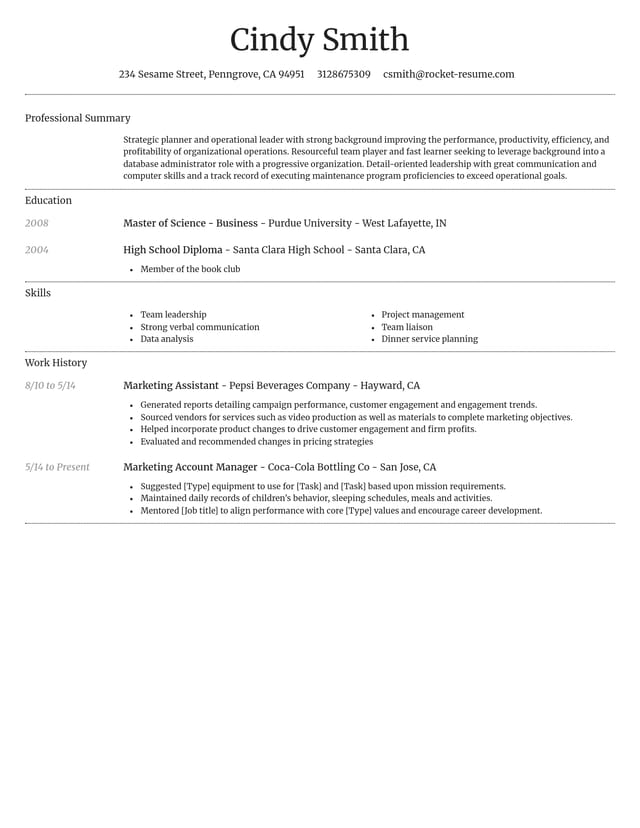
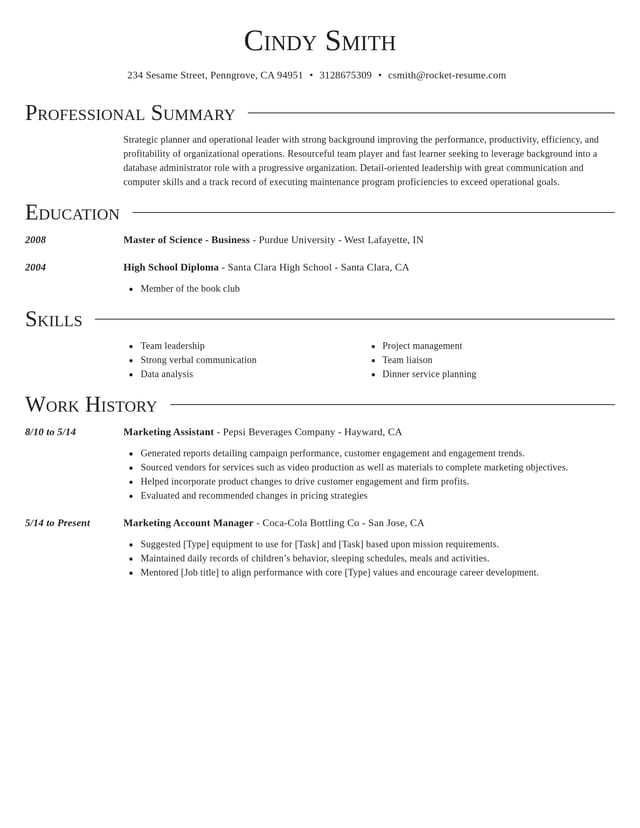
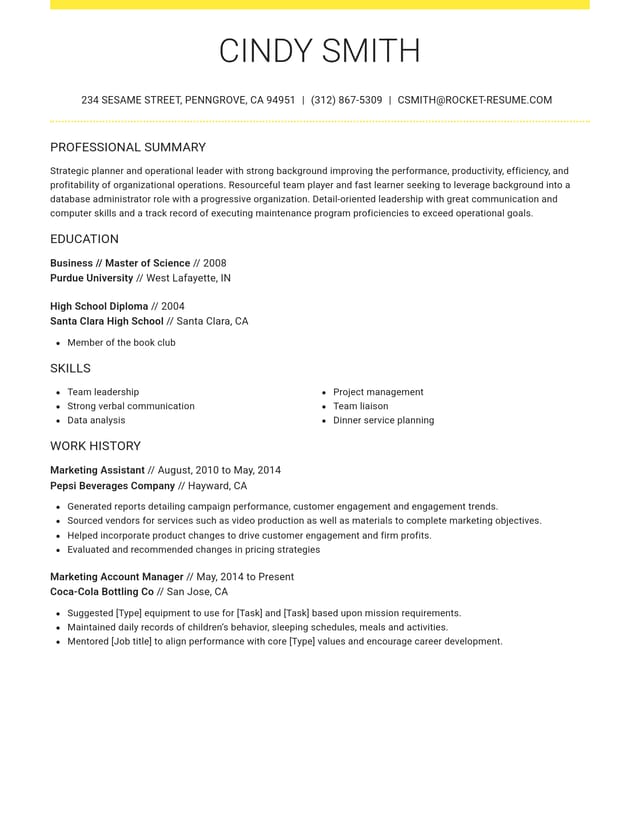
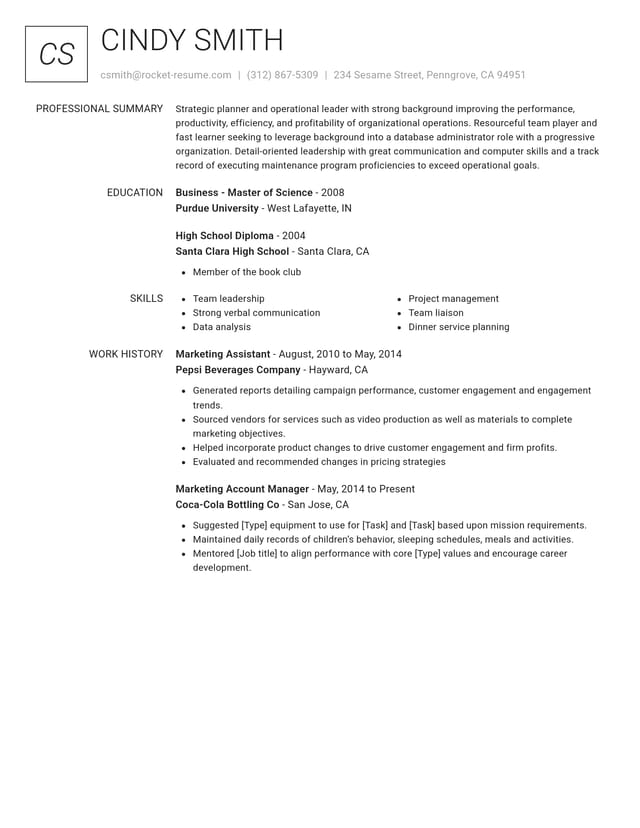
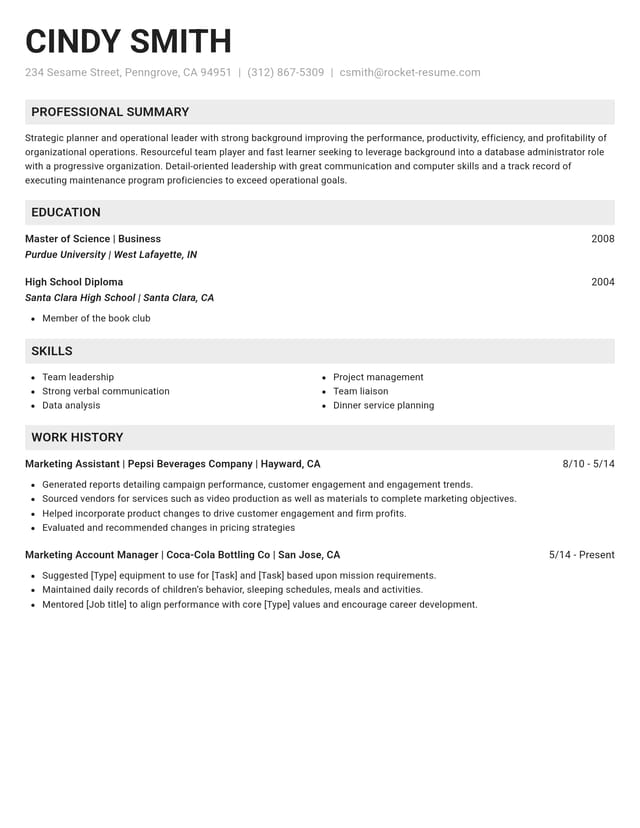
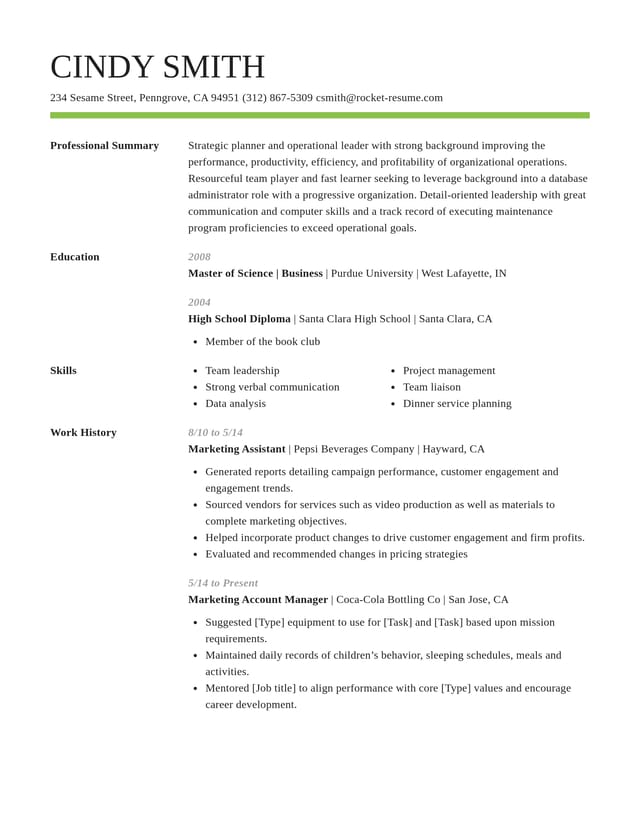
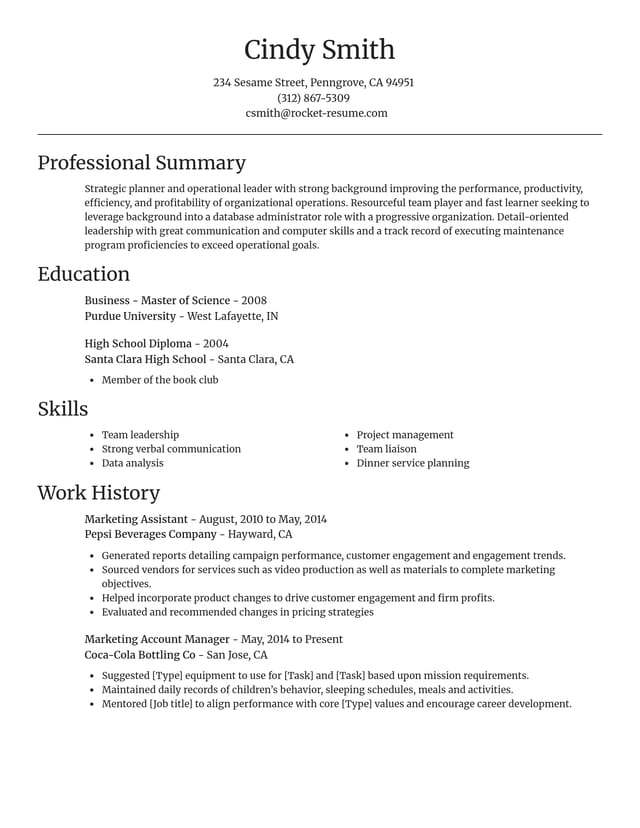
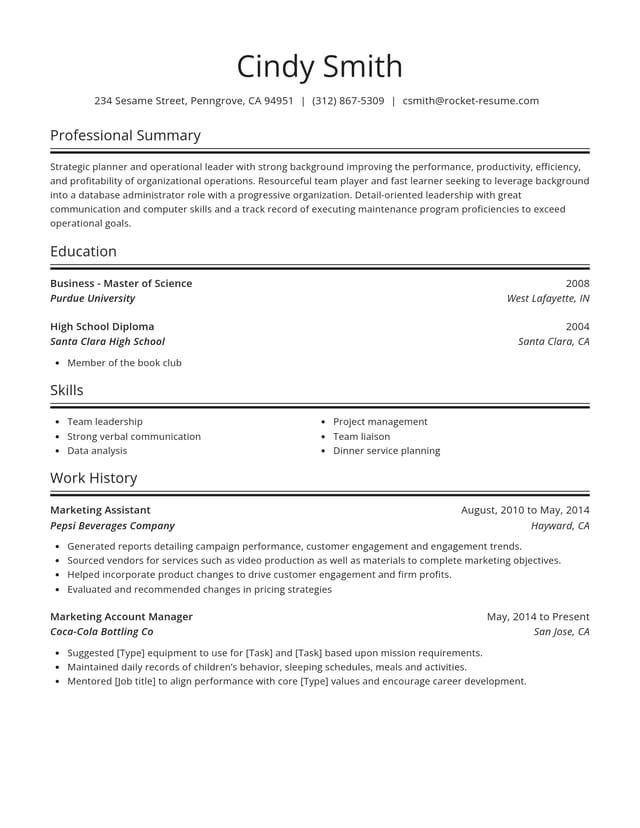
Give your polished lines a clean CV design


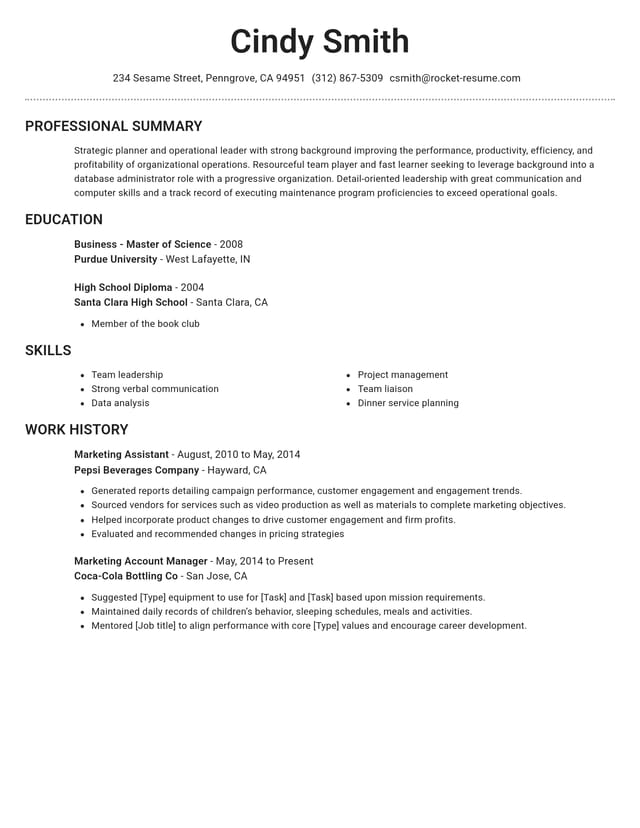
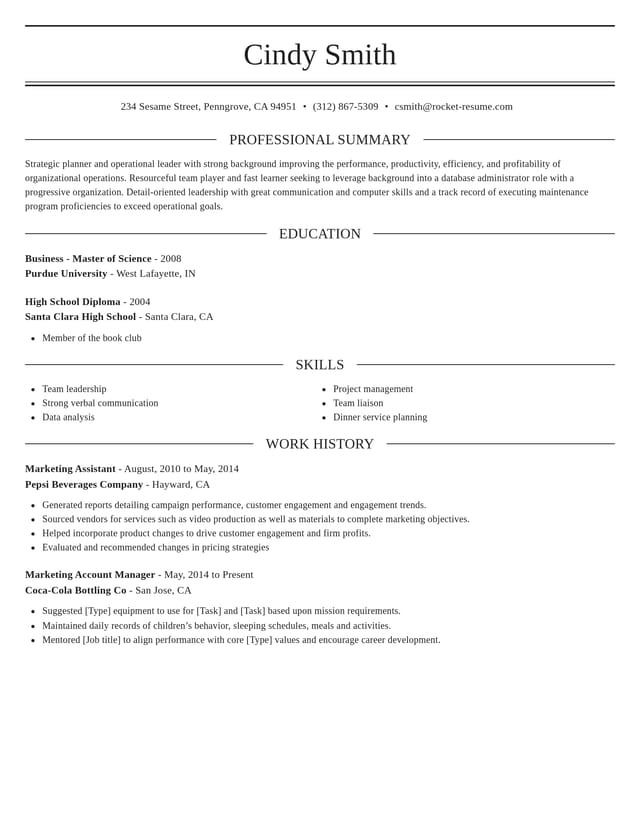
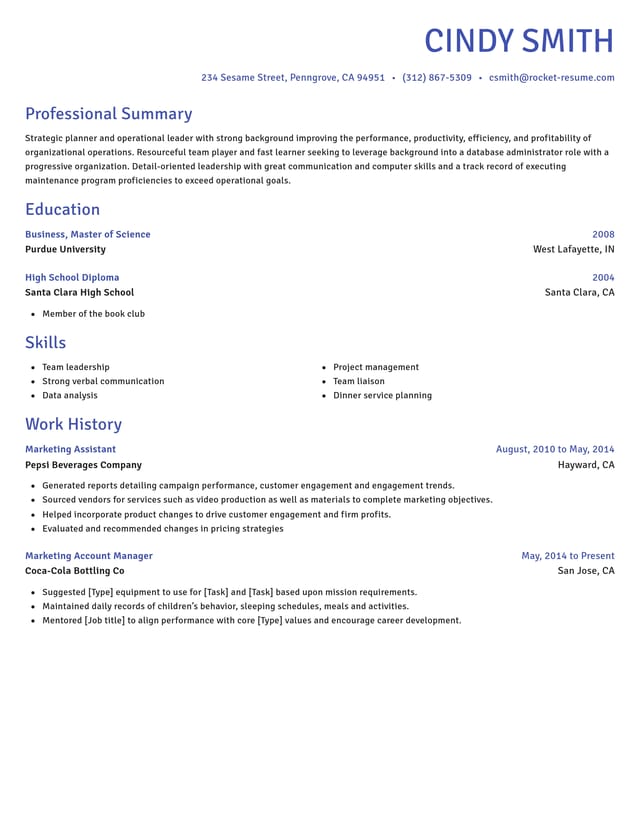
Where the AI helps and where you decide

Suggests lines role by role
Each job title you enter brings up AI-enhanced lines. Pick the ones that match what you really did there.

Leaves every word to you
Reword any suggestion, delete what doesn't fit and see the preview change as you type. A line stays only if you keep it.
Lays out your CV for screening
Your lines sit in an ATS-friendly design with standard headings that screening software and recruiters can follow. Change design and your text moves too.
Starts your personal statement
Your personal statement gets suggested wording, picked by your job title. Keep what describes you and trim it to three or four lines.
Three hiring figures to keep in mind as you write
“This service is amazing, a customer for life.”

“We come back to Rocket Resume, it's the best!”

Questions about smart CV suggestions
What is a smart CV builder?
A smart CV builder, or smart CV maker, suggests what to write and arranges it on the page for you. Rocket Resume offers AI-enhanced lines for each job title you add, sets them in an ATS-friendly design and lets you change any line before you download.
How far should I rework a suggested line?
Until every detail is true of your job. Keep the task if you did it, swap any part that isn't yours and add where you did it or a figure. If you couldn't talk an interviewer through a line, rewrite it or cut it.
Does the builder suggest skills too?
Yes. The skills step has its own suggestions, based on the job title you typed. Keep the ones you could back up with an example, and add any skill the advert asks for that you have, such as safeguarding or manual handling.
Can I see suggestions for the job I want next?
Yes. Search the title you're applying for in the suggestions box to see how that work is usually described. Borrow its wording only where it's true of a job you've done, such as a task you already handle in your current role.
What if none of the suggestions quite fits my job?
Keep the parts that do and write the rest yourself. A near miss still gives you a pattern to follow: an action, the task and a result. Put in your own task and figure, and the line describes your job.
Pick your industry, then build your CV
Featured this week
- 6 examples
Fiber Optic Technician · L1 Network Engineer · Mobile Repair Technician
- 8 examples
- 160 examples
- 24 examples
- 8 examples
- 13 examples
- 14 examples
Show all 48 industries (A–Z)Show fewer
- Aerospace & Defense, 8 examples
- Agriculture, 23 examples
- Apparel & Textiles, 13 examples
- Architecture, 15 examples
- Artificial Intelligence, 6 examples
- Arts & Entertainment, 24 examples
- Automotive, 21 examples
- Beauty & Personal Care, 17 examples
- Biotechnology & Life Sciences, 7 examples
- Business Services, 23 examples
- Chemical Engineering, 4 examples
- Childcare, 14 examples
- Construction, 106 examples
- Creative, 15 examples
- Customer Service, 17 examples
- Education, 94 examples
- Energy, 39 examples
- Environmental Science, 5 examples
- Finance, 63 examples
- Food & Beverage, 68 examples
- Government, 48 examples
- Healthcare, 160 examples
- Hospitality, 35 examples
- Human Resources, 18 examples
- Insurance, 10 examples
- Legal, 12 examples
- Logistics, 37 examples
- Manufacturing, 68 examples
- Marketing, 8 examples
- Media, 20 examples
- Military, 24 examples
- Mining & Metals, 9 examples
- Nonprofit, 8 examples
- Pharmaceuticals, 11 examples
- Public Relations, 10 examples
- Real Estate, 7 examples
- Retail, 38 examples
- Robotics, 11 examples
- Sales, 14 examples
- Security Services, 19 examples
- Social Services & Counseling, 21 examples
- Social Work, 14 examples
- Sports & Fitness, 96 examples
- Technology, 67 examples
- Telecommunications, 6 examples
- Tourism & Travel, 8 examples
- Transportation, 38 examples
- Veterinary, 9 examples
Don’t see your job title?

What people say about writing their CV with Rocket Resume
from 4,000+ reviews