An easy resume builder for
Not sure what to say about yourself? Type a job title you've held and our easy resume builder suggests lines to pick from, while the design handles the look.
- One section at a time, in plain steps
- Suggested lines for the jobs you've held
- ATS-friendly templates that do the formatting
- Change any line or design whenever you like

Mitchel D.
Jan 2024
“A fantastic source for resume building.”

Pablo
Jul 2022
“I really appreciate all the great tools”

Tracy A.
Mar 2026
“User-friendly, I would recommend it to others.”

Jason B.
Feb 2025
“A great website, I got a job.”
from 4,000+ reviews


How to make a resume when you're not a confident writer
Plenty of capable people struggle to write a resume. Three things make it hard: finding things to say, making them sound professional and deciding where each part goes. An easy resume builder takes care of the last two, setting your sections in order inside one of the ready-made designs and suggesting wording for each job you've held. The answers below help with the first, including the awkward parts such as a break from work or a job that ended badly.
What should I write when I don't know what to say about myself?
Describe an ordinary day at that job as if a friend had asked, then jot down the plain facts in it: the tasks, the people you helped and the equipment or software you handled. Notes like "booked appointments for three dentists" or "packed about 150 online orders a day" already hold most of a resume line. Then type the job title into the builder and hold your notes up against its suggested lines: keep the ones that match your work and edit the specifics so every line fits what you did.
How do I find out what I was good at?
Ask the people who saw you work. A former manager or coworker can usually say in one sentence what they counted on you for, and that sentence often becomes your strongest resume line. Compliments are clues too. If people often said you stayed calm when it got busy, that could become "Kept the counter moving through the lunch rush, often as the only server on shift." Then check the ad for the job you're applying for and move the strengths it asks for to the top.
How do I describe my work without feeling like I'm bragging?
Describe yourself the way a fair manager would describe you to a colleague: plainly, with the evidence. Lead each line with a verb, say what you did and add one detail that shows scale, such as how many customers, how often or how fast. "Served about 80 customers a shift and balanced the cash drawer at close" is specific without being boastful. Getting the spelling and grammar right helps as well: one study in the hiring research found that job seekers who got help correcting their writing were hired more often. If you're still stuck, our resume writing FAQs answer the questions people ask most.
How do I write about coming back to work?
Name the break briefly and plainly, then move on to what you can do now. One way is a line in your summary, for example: "Retail supervisor returning after three years caring for family, ready to lead a weekend team again." Another is a dated entry in your work history, such as "Career break to care for a parent, 2022 to 2025." Leave out apologies, health details and long explanations, since an employer only needs to know you're ready now. Then let the lines under each job show the skills you're bringing back. For the summary itself, the questions on this page include one on writing it when you hate talking about yourself.
How do I list a job that ended badly?
List it like any other job and keep to the work you did there. That holds whether you were let go, quit in a hurry or left after a falling-out. Give the real dates, describe your duties and include anything that went well. A resume has no line for why you left, so the ending and any complaint about the employer stay off the page. If an interviewer asks, give a short, honest answer and move on to what you want next. For what does belong in each section, see what to put on a resume.
Is it honest to use suggested lines?
Yes, as long as every line you keep describes work you really did. The builder's suggestions are written by experts for the job title you type and enhanced with AI, so they give you the usual language for that role. Delete any line that doesn't match your job and adjust the ones that nearly fit until they're accurate. Good wording can come from a suggestion; the facts have to be yours.
Let Rocket Resume's builder suggest the words
If writing about yourself is the part you dread, Rocket Resume's builder gives you a starting point for every job. Enter a title you've held and it offers AI-enhanced wording that experts wrote for that role, while an ATS-friendly design takes care of the layout and every line stays yours to change. See what the builder handles, or start in four steps:
- First, tell the builder about your experience and choose a look, with nothing to write yet. Changing the look later won't lose anything you've typed.
- Add your jobs, school and skills one screen at a time, typing each job title to see suggested lines.
- Pick only the suggestions that describe your real work, then adjust the wording until it sounds like you.
- Save your resume to your account, come back whenever you like and download it when it's ready.
Easy resume templates that handle the layout


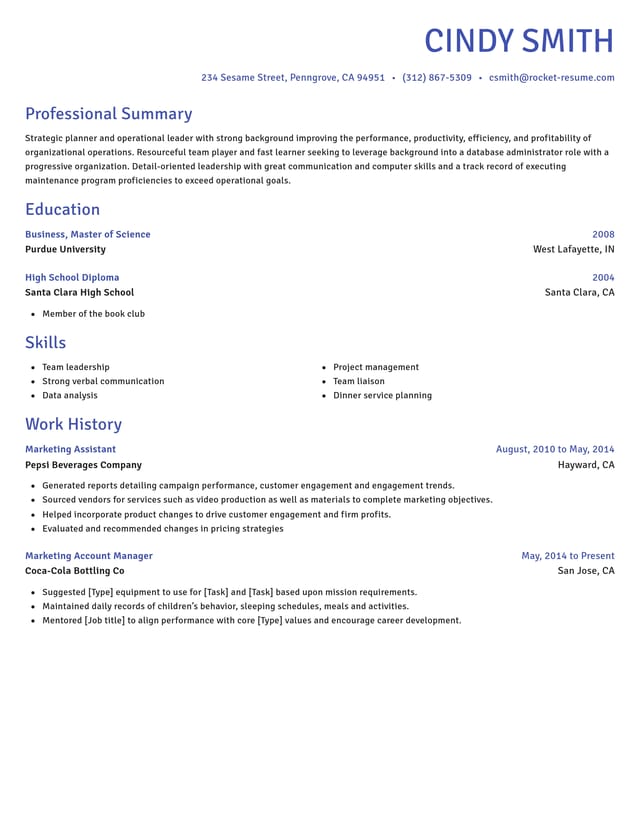
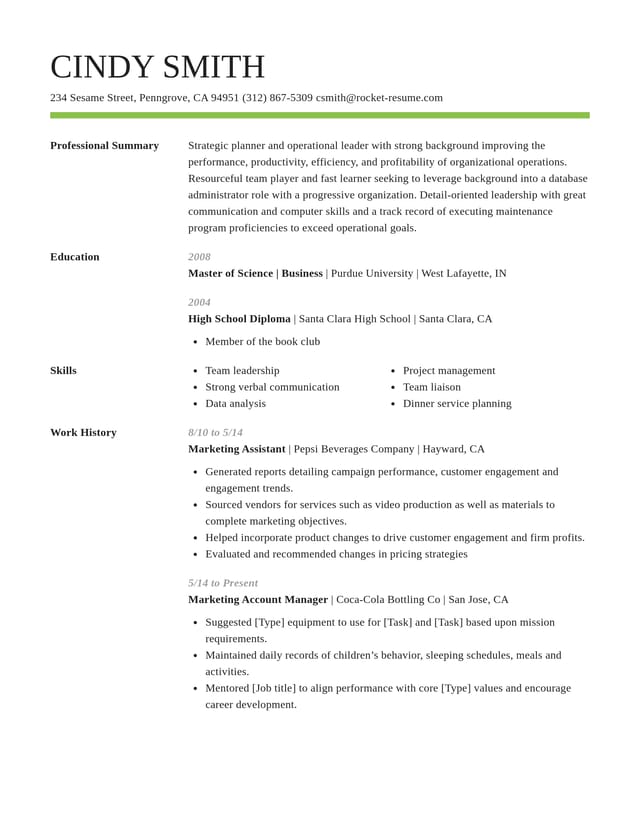
What the builder does so you don't have to
Handles margins and spacing
Dates line up, sections sit evenly and fonts match, so you never fiddle with tab stops or text boxes.

Suggests lines for each job
Stuck on how to describe a job? Its title brings up AI-enhanced lines written by experts; keep the true ones and edit any word.
Uses headings employers look for
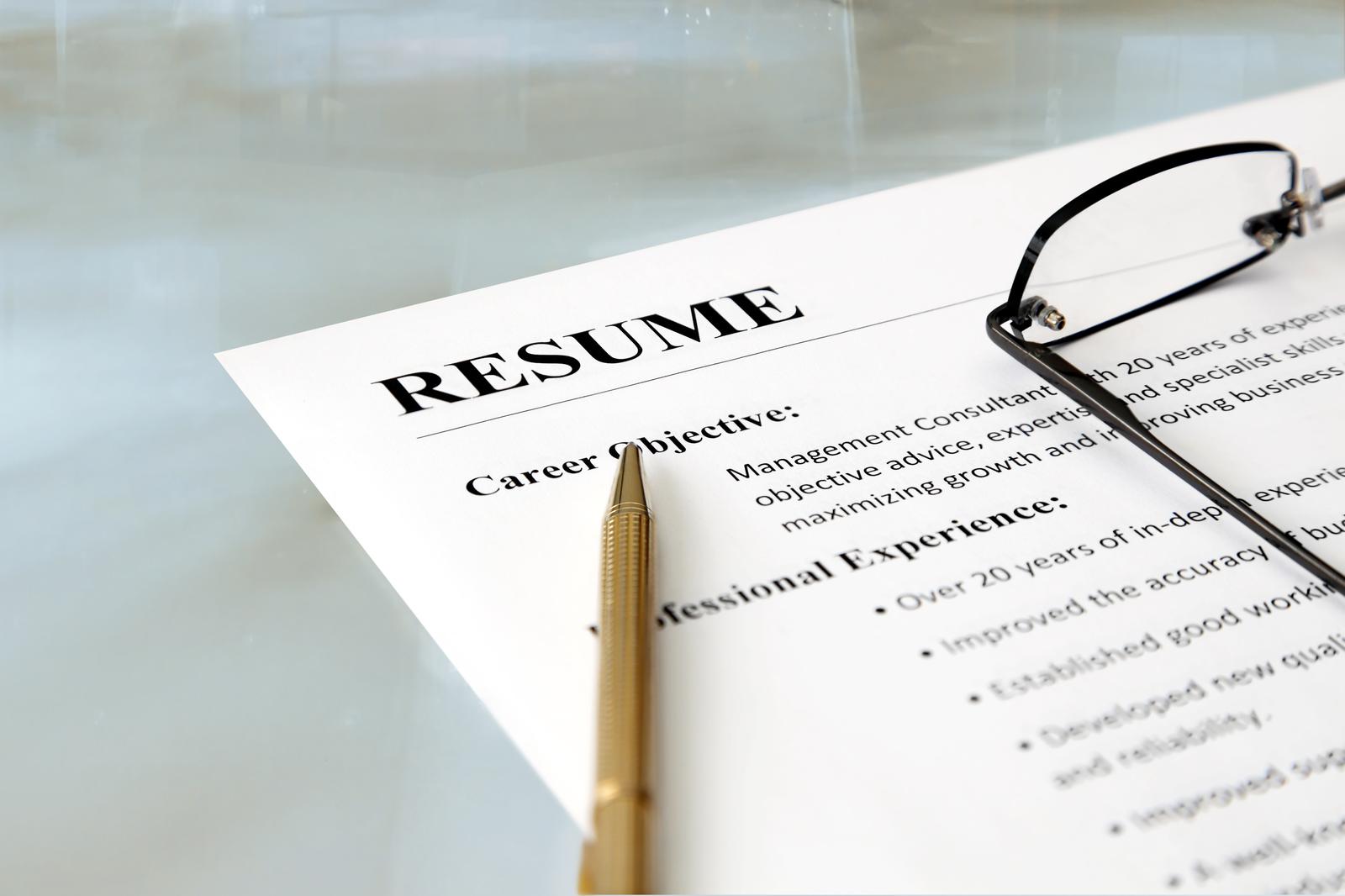
Every template is ATS-friendly, with standard section names in a clear order that's easy for screening software and recruiters to scan.

Fills the gaps with sample text
During the steps, a one-page preview keeps sample text in any part you haven't filled in, so you can see what goes there.
Why the wording on your resume matters now
“This service is amazing, a customer for life.”

“We come back to Rocket Resume, it's the best!”

Questions from people who find resumes hard to write
What is the easiest resume builder to use?
Look for one that asks for your facts one section at a time, suggests wording for your job title and lets you edit any line as you go. Rocket Resume's builder works this way; try it with one job and see.
Should I use "I" on my resume?
Leave it out and start each line with what you did, so "I helped residents with their morning routines" becomes "Helped eight residents with their morning routines." It saves space, reads faster and feels less like talking about yourself.
Is it OK if my resume sounds plain?
Yes. Short, specific lines are easier to read than fancy words, and recruiters often skim. "Restocked shelves and kept the stockroom in order" tells an employer more than a line full of buzzwords.
How do I write a summary when I hate talking about myself?
Use two plain facts and the job you want next, such as "Warehouse associate with four years on forklifts and a clean safety record, looking for a team lead role." Facts don't feel like bragging, and they're easy to back up.
How do I write about a job that feels ordinary?
Write it as it was, then show you were relied on. Employers fill everyday jobs all the time, and they want someone dependable. Mention what you were handed: the keys to lock up, a new hire to shadow you or regulars who asked for you by name.
Should someone else read my resume before I send it?
Yes. Ask a friend or family member to mark any line they had to read twice and anything they know you did that's missing. Fix those in the builder, and your layout stays in place while you edit.
Build from an example in your field
Featured this week
- 14 examples
Sales Manager · Inside Sales Representative · Technical Sales Representative
 10 examples
Claims Adjuster · Life Insurance Agent · Property and Casualty Insurance Agent


 7 examples
Microbiologist · Research Scientist · Biotechnologist
- 10 examples
- 15 examples
- 21 examples
- 37 examples
- 18 examples
- 8 examples






Show all 48 industries (A–Z)Show fewer
- Aerospace & Defense, 8 examples
- Agriculture, 23 examples
- Apparel & Textiles, 13 examples
- Architecture, 15 examples
- Artificial Intelligence, 6 examples
- Arts & Entertainment, 24 examples
- Automotive, 21 examples
- Beauty & Personal Care, 17 examples
- Biotechnology & Life Sciences, 7 examples
- Business Services, 23 examples
- Chemical Engineering, 4 examples
- Childcare, 14 examples
- Construction, 106 examples
- Creative, 15 examples
- Customer Service, 17 examples
- Education, 94 examples
- Energy, 39 examples
- Environmental Science, 5 examples
- Finance, 63 examples
- Food & Beverage, 68 examples
- Government, 48 examples
- Healthcare, 160 examples
- Hospitality, 35 examples
- Human Resources, 18 examples
- Insurance, 10 examples
- Legal, 12 examples
- Logistics, 37 examples
- Manufacturing, 68 examples
- Marketing, 8 examples
- Media, 20 examples
- Military, 24 examples
- Mining & Metals, 9 examples
- Nonprofit, 8 examples
- Pharmaceuticals, 11 examples
- Public Relations, 10 examples
- Real Estate, 7 examples
- Retail, 38 examples
- Robotics, 11 examples
- Sales, 14 examples
- Security Services, 19 examples
- Social Services & Counseling, 21 examples
- Social Work, 14 examples
- Sports & Fitness, 96 examples
- Technology, 67 examples
- Telecommunications, 6 examples
- Tourism & Travel, 8 examples
- Transportation, 38 examples
- Veterinary, 9 examples
Don’t see your job title?

In their words: building a resume with Rocket Resume
from 4,000+ reviews