Free resume editor for
Set up your resume once in our free resume editor. It stays saved in your account, ready for a new role, a sharper line or a fresh design.
- Edit and save your resume free
- One master resume, kept in your account
- Expert suggestions for weak lines
- Switch designs without retyping a line

Mitchel D.
Jan 2024
“A fantastic source for resume building.”

Pablo
Jul 2022
“I really appreciate all the great tools”

Tracy A.
Mar 2026
“User-friendly, I would recommend it to others.”

Jason B.
Feb 2025
“A great website, I got a job.”
from 4,000+ reviews


How to keep a master resume you can edit for free
A free resume editor pays off long after the first draft. With Rocket Resume, you type your work history in once as a master resume, and it stays in your account for every change after that: a new role, a stronger line or a posting you want to answer today. Here's what a master resume is for, what to put in it, how to trim it for one job and what to check once you've edited. To see the tools first, jump to what the editor does.
Why keep a master resume?
So every edit starts from a complete record instead of your memory. A master resume is the long version you keep for yourself, with every job, result and skill, including lines you'd never send together. When a posting appears, you cut it down to fit rather than piecing your history back together, and the figures you noted at the time are still there. You also skip the fiddly formatting in Word, because the editor handles the layout while you work on the words.
What should go into my master resume?
More than any one application needs. Type in every job you've held, every result you can back up with a figure and each skill or tool you might list for a role you'd consider. Add the extras as well: certifications, awards, memberships, training courses and volunteer work. Treat your old resume as a starting list rather than a limit. When you enter a job title, the editor suggests lines for that role, and they often bring back work you'd forgotten to mention. Once it's saved to your account, each later visit picks up from this full version.
How do I trim the master down for one posting?
Duplicate it in My Library, then cut the copy until only what fits the posting is left, so the master stays whole for next time. Work from the top, since that's where most recruiters look first:
- Summary: write two or three sentences for this role alone, naming the job and the strength that suits it.
- Newest job: put the results that match the posting ahead of your day-to-day duties.
- Older jobs: keep three to six bullets for each, fewer the further back they go.
- Your earliest jobs: once a role is about 15 years behind you, cut it to a single line or leave it off this copy.
- Skills: keep the ones the posting asks for, and list those first.
Borrow the posting's own wording wherever it honestly fits your work, and drop anything it never mentions. Our tailoring guide sets strong and weak versions next to each other, and our article on bullets per role explains how many to keep for recent and older jobs. The hiring research lower on this page shows why a trimmed copy is worth the extra minutes.
What slips through when I edit a copy?
Small mistakes left behind by all the cutting and moving. Before a tailored copy goes out, read it once more for these:
- A line moved from a finished job into your current one, still in the past tense
- A job left with a single bullet after you cut the rest
- A skill your summary mentions that you've since dropped from the skills list
- A phrase from the posting that claims more than you actually did
Then read the copy aloud, which catches clumsy lines your eyes skip over. Our list of common resume mistakes covers the rest, and the FAQ answers quick questions on master resumes, honest tailoring and design.
Set up your master resume with Rocket Resume
Rocket Resume takes you section by section through your master resume, suggests AI-enhanced wording for each role you've held and sets it all in a professional, ATS-friendly design. Editing and saving are free, and your master and its copies wait in your account for the next posting. Pick a look in the template gallery, browse the reviews from people who've used it, then follow these steps:
- Answer a question or two about your experience, then pick a design for your master resume.
- Enter each job title from your full history and keep the suggested lines that ring true.
- Save the finished master to your account, and duplicate it in My Library for each posting.
- Trim and reword the copy, then drag its sections into the order that suits the posting.
Pick a design for your master resume

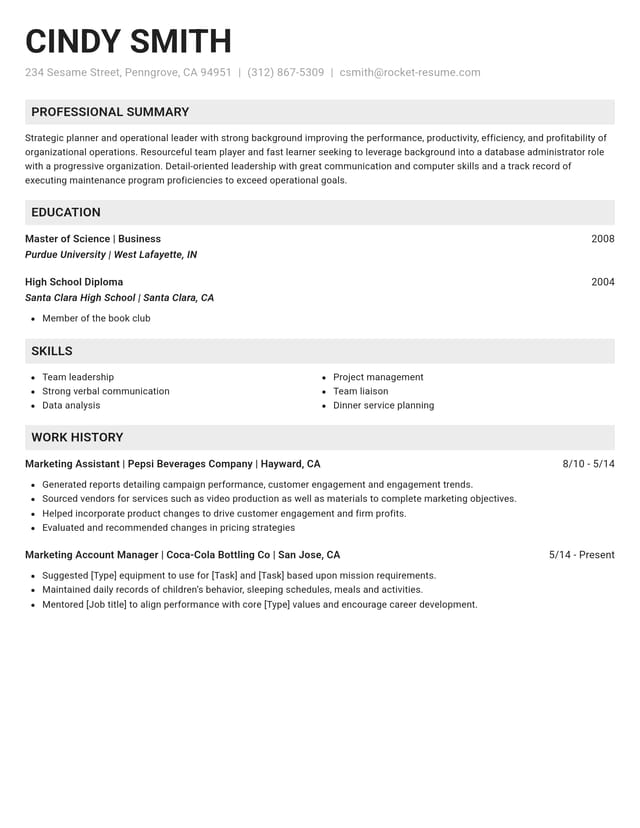

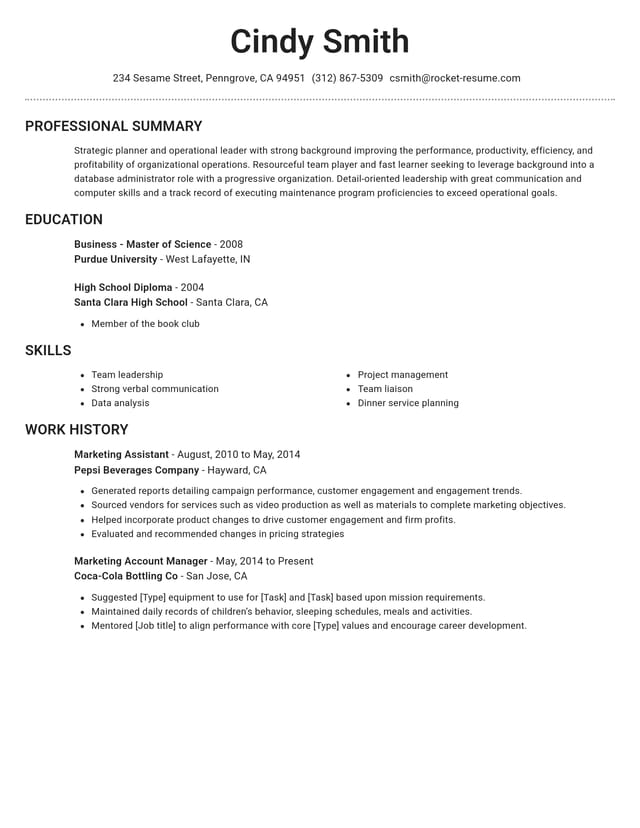
An editor you can return to for every application

Pick up on any device
Sign in from a phone or computer and your resume opens as you last saved it, ready for the next change.

Room for the extras
Add optional Accomplishments, Affiliations, Certifications and Additional Information sections, so every part of your record has a place in the master.

Help with weak lines
Stuck on a line? AI-enhanced suggestions written for your role offer a starting point to reword in your own terms.
Your master stays whole
Tailor a duplicate made in My Library, and your full master resume stays exactly as you saved it, ready for the next posting.
Why one resume no longer fits every opening
“This service is amazing, a customer for life.”

“We come back to Rocket Resume, it's the best!”

Questions about editing your resume for free
What's the difference between a resume editor and a resume builder?
A builder helps you write a resume from a blank page, and an editor is where you change it later. In Rocket Resume they're one tool: it guides you through the first draft, then keeps it in your account so you can return and tailor it for each job.
How long can a master resume be?
Longer than any copy you send, since you're the only one who reads it. Keep every job and result in it. Each copy is then trimmed down, usually to one page, or two if you have a long career in one field.
Should my master resume have a summary?
Yes, a broad one that sums up your experience and strongest skills. Treat it as a starting point. Each copy you send then gets a summary of its own, written for that single role.
How can I tailor my resume without overstating my experience?
Stick to rearranging, cutting and rephrasing lines that are already accurate. Use a phrase from the posting only when it fits work you've done. If the job calls for a skill you don't have, leave it out and lead with your closest one. Interviewers can ask about any line.
Should I change my resume's design for each employer?
Usually not. One clean, professional design works for most applications, so spend your editing time on the words. Change it when a field has clear expectations, such as a conservative layout for a bank or a bolder one for a design studio, and set it on that copy alone.
Do I need a new copy for every application?
Not always. One tailored copy can serve several postings for the same kind of role when they ask for much the same skills. Go back to your master for a fresh copy when a posting stresses different skills or a different kind of work.
Start from an example in your industry
Featured this week


 18 examples
Talent Acquisition Recruiter · Human Resources Assistant · Payroll Administrator


- 7 examples
- 23 examples
- 68 examples
- 6 examples
- 15 examples
- 14 examples





Show all 48 industries (A–Z)Show fewer
- Aerospace & Defense, 8 examples
- Agriculture, 23 examples
- Apparel & Textiles, 13 examples
- Architecture, 15 examples
- Artificial Intelligence, 6 examples
- Arts & Entertainment, 24 examples
- Automotive, 21 examples
- Beauty & Personal Care, 17 examples
- Biotechnology & Life Sciences, 7 examples
- Business Services, 23 examples
- Chemical Engineering, 4 examples
- Childcare, 14 examples
- Construction, 106 examples
- Creative, 15 examples
- Customer Service, 17 examples
- Education, 94 examples
- Energy, 39 examples
- Environmental Science, 5 examples
- Finance, 63 examples
- Food & Beverage, 68 examples
- Government, 48 examples
- Healthcare, 160 examples
- Hospitality, 35 examples
- Human Resources, 18 examples
- Insurance, 10 examples
- Legal, 12 examples
- Logistics, 37 examples
- Manufacturing, 68 examples
- Marketing, 8 examples
- Media, 20 examples
- Military, 24 examples
- Mining & Metals, 9 examples
- Nonprofit, 8 examples
- Pharmaceuticals, 11 examples
- Public Relations, 10 examples
- Real Estate, 7 examples
- Retail, 38 examples
- Robotics, 11 examples
- Sales, 14 examples
- Security Services, 19 examples
- Social Services & Counseling, 21 examples
- Social Work, 14 examples
- Sports & Fitness, 96 examples
- Technology, 67 examples
- Telecommunications, 6 examples
- Tourism & Travel, 8 examples
- Transportation, 38 examples
- Veterinary, 9 examples
Don’t see your job title?

Reviews to read before you edit your resume
from 4,000+ reviews