How to Write a Resume Step by Step (With Examples)
Learn how to write a resume section by section, from gathering your facts to a final check, with before-and-after rewrites and three example resumes.


A resume is a page or two that sums up your work history, education and skills for the job you want. These eight steps take you from a blank page to a resume you can send:
- Gather your facts: your job dates and results, your education and the job posting.
- Choose a simple layout with your newest job first, and decide where to write it.
- Put your name, phone number, email address, and city and state at the top.
- List your jobs newest first, giving recent ones three to five bullet points that pair an action verb with a result.
- Add your education and any licenses or certifications the job requires.
- Pick six to ten skills the posting asks for and you can prove.
- Write a two- or three-sentence summary for the top of the page.
- Tailor the resume to each job, then proofread every line.
The order matters. Gathering your facts first saves you from stopping mid-sentence to look up a date, and writing the summary last lets you build it from results that are already on the page. Four of the steps include a before-and-after example you can adapt. The people in the examples are made up, so treat their numbers as a guide to the kind of detail to include, not as figures to match.
If you're figuring out how to write a resume for the first time, the same steps apply, and a short section near the end covers what changes when you have little or no work experience.
Step 1: Gather your facts
Before you write anything, collect the facts your resume will draw on. Have these in front of you:
- Each job you'll include, with its title, employer, city and dates (month and year)
- Two or three results from each job, with numbers where you have accurate ones
- Degrees, schools and graduation years
- Licenses and certifications, with who issued them and when
- The job posting, with its main requirements marked
- An email address that uses your name
Dates often take the longest to pin down. Old offer letters, pay stubs and your LinkedIn profile usually have them.
For results, think about what you improved or got done: customers served, sales closed, mistakes caught, people trained, time saved. An honest estimate such as "about 40 customers a shift" says more than a polished line with no detail in it. Old performance reviews can jog your memory.
Keep the posting open while you work. Its wording will guide the skills you pick in step 6 and the tailoring you do in step 8.
Step 2: Choose a simple layout and where to write it
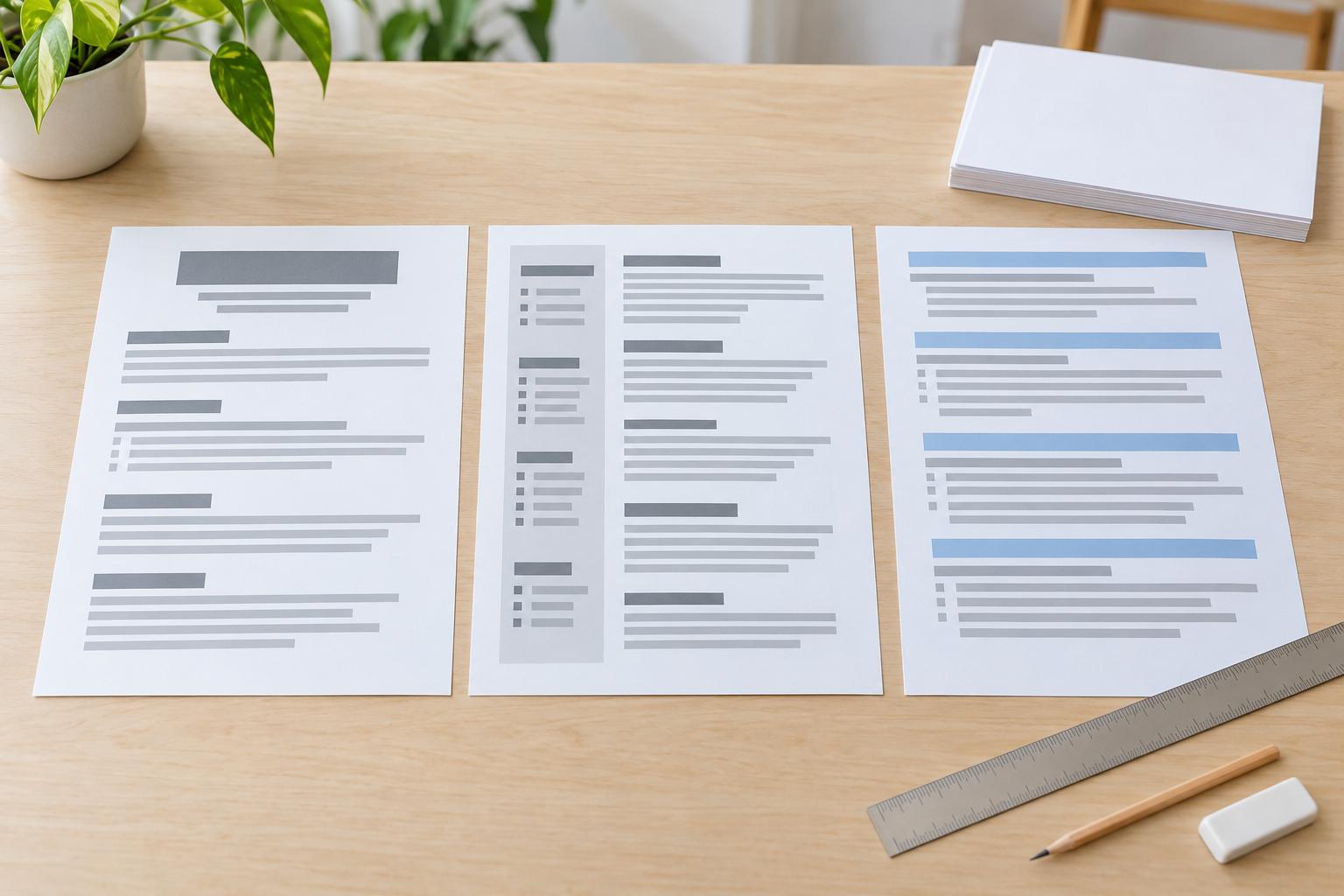
Start with a simple layout: your newest job first, clear section headings and one easy-to-read font, all in a single column. Listing jobs newest first is called reverse-chronological order. It's the usual approach for US resumes and the order Harvard's resume guide recommends, though it's a convention rather than a rule.
If you're changing careers, a different structure may suit you better. Our resume format guide compares the options and covers length, fonts and margins.
Word, Google Docs or a builder
You can make a resume in any word processor, such as Word or Google Docs, or in an online resume builder. A word processor gives you full control, but you set the spacing and keep the formatting consistent yourself. A builder lays out the page for you, though you're limited to the designs it offers.
If you start from a ready-made template, pick a plain one, and keep your content in regular text rather than in tables, text boxes or images. Resume guides commonly warn that some screening software has trouble reading text inside them.
To compare plain, one-column layouts, browse our resume templates.
Step 3: Add your contact details
Your name goes at the top, followed by one line with your phone number, a professional email address, and your city and state. Add a LinkedIn profile or portfolio link if it's up to date and relevant to the job.
Skip the full street address. City and state are enough to show an employer roughly where you live.
Use an email address based on your name rather than an old nickname. If yours isn't, set up a new one for your job search.
For US jobs, leave off a photo, your age and your gender. Harvard's resume guide gives the same advice. It's common practice rather than a legal requirement, and it keeps the reader's attention on your work.
Check this section twice. One wrong digit in your phone number or a typo in your email address can stop an employer from reaching you, however strong the rest of the page is.
Before | After |
Jordie L. · 1428 Elm Street, Apt 3B, Columbus, OH 43215 · partyking99@example.com | Jordan Lee · Columbus, OH · (614) 555-0142 · jordan.lee@example.com · linkedin.com/in/jordan-lee-example |
What changed: the full name replaces the nickname, city and state replace the street address, and a name-based email replaces the old one. The phone number and LinkedIn link are new.
Step 4: Describe your work experience
Start with your current or most recent job and work backward. Give each recent job three to five bullet points, and build each bullet around an action verb and a result.
List the same details for every job
Each job opens with one line: your job title, the employer, the city and state, and your start and end dates (month and year). Use the same order and date style for every job; a reader quickly notices dates written two different ways.
Write bullets that show results
A strong bullet has three parts: an action verb, the task and the difference your work made. Verbs such as led, trained, reduced, built and resolved make a good start, and our list of action verbs for resumes has many more. Finish with something concrete, such as a number, a deadline met or a before-and-after comparison.
Leave out duties anyone in the job would have. "Answered phones" describes the job. "Booked 40+ appointments a day and kept front-desk wait times under five minutes" describes you.
Before | After |
Responsible for handling customer complaints. | Resolved 25+ customer complaints a week, cutting the number passed on to the store manager. |
What changed: an action verb, the scale of the work and a result.
Give recent jobs more room
Cut older or unrelated jobs down to one or two bullet points each, so the space goes to your recent work. Our guide to how many bullet points to use for each job goes into more detail.
Changing careers or returning after a break
Under each job, lead with the work that carries over to the job you want. If you choose to explain a gap, keep it to a single honest line. Our career change resume guide covers the switch in more detail.
Ideas for what to write
If you're stuck, borrow a starting point. Rocket Resume's job-title example pages each offer examples for one role: try the pages for nurse, software engineer or customer service, or search for your own job title. The figures in those examples are illustrative, so change each one to a number that's true for you.
Step 5: Add your education and certifications
List your highest degree or most recent training first, along with the school, its location and the year you finished. If the job calls for licenses or certifications, give them a section of their own.
After a few years in the workforce, education moves below your experience and shrinks to the essentials. You can drop the graduation year from an older degree.
If you're a student or a recent graduate, education usually comes first, and it can include relevant coursework, projects or your GPA. Our guide to listing a GPA explains when it belongs on the page and where to put it.
Example education entry (made up): B.S. in Business Administration · Example State University, Columbus, OH · May 2025 · Relevant coursework: Statistics, Organizational Behavior
Licenses and certifications
Name each credential, who issued it and when. When the job can't legally be done without a license (a nursing or commercial driver's license, for example), place it where an employer will see it right away.
Awards, memberships and other extras
If awards, professional memberships, volunteer roles or similar extras strengthen your application, add them after the main sections.
Step 6: Pick skills that match the job posting
Your skills section should hold six to ten skills that the job calls for and that you actually have. List tools and technical skills first.
Go down the list of requirements in the posting and mark each skill you could back up with an example. Where the posting names a skill you have, use its exact wording: if it says "accounts payable," don't write "AP processing."
Screening software often sorts applications before a person reads them, which is one more reason to use the posting's terms. Just don't list skills you don't have. No choice of words guarantees a resume gets through.
"Team player" in a skills list says little by itself, while a bullet about training new hires shows you working with others. That's why soft skills work better as proof in your bullets than as words in a list. For more, see the difference between hard and soft skills.
Then check that your most important skills also appear in your work history, so the list and your bullets back each other up.
Before | After |
Hard worker, team player, Microsoft Office | Excel (pivot tables, XLOOKUP), QuickBooks, accounts payable, month-end close |
What changed: named tools and the posting's own terms, all of them skills the applicant could demonstrate if asked. To see skills suggested for your job title, look through our resume examples.
Step 7: Write your summary last
Write your summary after everything else, even though it goes at the top of the page, just below your contact details. Keep it to two or three sentences: your current role or field, your strongest result and the job you want next.
By now your best results are already on the page, so borrow the strongest one instead of reaching for adjectives. Words like "hardworking," "results-driven" and "detail-oriented" add little on their own. A good test is whether a sentence could describe almost any applicant; if it could, replace it with a detail that only fits you.
Before | After |
Hardworking professional seeking a challenging role where I can grow. | Assistant store manager with six years in high-volume retail. Trained 12 new hires and kept stock losses under target for three straight quarters. Ready to run a store of my own. |
What changed: a job title and years of experience, two results and the next role.
If you're looking for your first job, or moving into a field where you don't yet have results, a one-line career objective can take the summary's place.
Step 8: Tailor it to the job and proofread
Before you send your resume, adjust it to the posting and check it for mistakes.
Match it to the posting
Read the posting again and pick out the three to five requirements it stresses most. Then move the bullets that prove those requirements to the top of each job, rework the summary around this role and delete bullet points that don't help your case. Our examples of good and bad tailoring show the difference.
Applications per hire have tripled since 2021, to more than 300 (Ashby). With that much competition, it pays to make your fit for this particular job obvious at a glance.
Run a final check
A careful final read is worth the time. On an online freelance marketplace, job seekers randomly given an algorithmic writing assistant that corrected their profile text were hired about 8% more often (NBER working paper w30886). A job application isn't a freelance profile, but the finding is a good reason to proofread. Our page on the research behind our figures explains how we check studies like this one.
Then go through this list:
- The job title and the posting's key requirements appear wherever they honestly apply.
- Each bullet opens with a verb, and most finish with a result.
- Dates follow one style, and none overlap without explanation.
- You could explain any number on the page if an interviewer asked.
- You've read it aloud once; hearing it helps you catch typos your eyes skip.
- Your phone number and email address are correct.
- The file type is what the posting asks for. Our resume format guide covers PDF vs Word and naming the file.
Example resumes for three situations
The examples below show parts of three made-up resumes: one for a student, one for an experienced manager and one for a career changer.
First resume: a psychology student
Maya Ortiz · Psychology student · Columbus, OH
Summary: Psychology student at a state university in Ohio with two years of part-time retail experience. Trained 4 seasonal hires and handled returns at a store serving 300+ customers a day. Seeking a research or HR internship for next summer.
Education: B.S. in Psychology, expected May 2028 · Example State University, Columbus, OH
From her experience section:
Sales Associate (part-time) · Example Outfitters, Columbus, OH · June 2024 – present
- Trained 4 seasonal hires on the register and returns policy
- Handled 30+ returns a shift with no cash discrepancies over two holiday seasons
Research Assistant (volunteer) · Example State University, Columbus, OH · January 2026 – present
- Coded 200 survey responses in SPSS for a faculty research project
Why it works: her education comes before her work history (step 5), her part-time job still shows results (step 4), and her summary names the role she wants (step 7). See more college student examples.
Experienced: an assistant store manager
Darnell Brooks · Assistant store manager · Six years in retail
Summary: Assistant store manager with six years in high-volume retail. Trained 12 new hires and kept stock losses under target for three straight quarters. Ready to run a store of my own.
From his experience section:
Assistant Store Manager · Example Home Goods, Cincinnati, OH · April 2022 – present
- Cut stock losses 18% in a year by moving high-theft items behind the counter
- Built the weekly schedule for a team of 22, keeping overtime under budget
- Opened and closed the store as keyholder five days a week
Why it works: every bullet gives a number a reader can picture (step 4), and his summary says which job he wants next (step 7). See more assistant store manager examples.
Career change: restaurant shift lead to customer service
Priya Shah · Restaurant shift lead moving into customer service
Summary: Restaurant shift lead with five years of handling guest complaints on busy floors, moving into a customer service role. Kept complaint escalations to the manager under two a week.
From her experience section:
Shift Lead · Example Grill, Pittsburgh, PA · March 2021 – present
- Resolved guest complaints on the spot for a 120-seat dining room
- Trained 9 new servers on the ordering system and service standards
- Took phone orders and reservations during peak hours
Skills: Complaint resolution · Phone and in-person customer support · Order and reservation systems · Staff training
Why it works: her bullets lead with the parts of the job that carry over to customer service (step 4), and her skills list matches the terms a customer service posting is likely to use (step 6). See more customer service examples.
Writing a resume for your first job or with no experience
If you're applying for your first job, or you have little or no work experience, follow the same steps with a few changes. Put your education near the top, and treat anything that shows you can do the work as experience: part-time and summer jobs, internships, volunteering, school projects, clubs and teams, and informal work such as babysitting or helping in a family business. Describe each one with the same verb-and-result pattern you'd use for a paid job.
If you don't have numbers to point to yet, show responsibility instead: what you were trusted with and how often. "Ran the concession stand alone for weekend home games" tells an employer more than "Hard worker."
Keep a first resume to one page. Our guide to writing a resume with no experience goes step by step, and if you're in high school, start with our resume tips for teens and pick a design from our high school resume templates.
Using AI to help write your resume
AI chat tools can help you find better wording or shorten a bullet that runs long. Treat what they give you as a first draft: check each fact, date and figure, rewrite anything that doesn't sound like you, and remember that an interviewer can ask about any line on the page. Keep private details, such as your home address or ID numbers, out of the chat.
Building your resume in Rocket Resume
If you'd rather have the layout done for you, try our resume builder, which follows the same order as this guide: you pick a design, then fill in your contact details, work history, education, skills and summary, one section at a time.
Our resume and career FAQs answer other common questions in a sentence or two.
Frequently Asked Questions
How do I write a simple resume?
Stick to the core sections: your contact details, a short summary, your work experience with the newest job first, your education and a list of skills. Keep the design plain, with one column and one font, and fit it on a single page if you haven't been working long. The steps above take each section in turn, with the summary written last.
Can I make my resume in Word or Google Docs?
Yes. The steps in this guide work in Word, Google Docs or any other word processor. Use a single column, and follow the common advice to keep your text out of tables, text boxes and images, which some screening software has trouble reading. If you'd rather not set up the layout yourself, a resume builder does it for you.
What are the golden rules of resume writing?
Write each resume for one job, and lead with results rather than duties. Include only what's true and what you could discuss in an interview. Keep the page easy to scan, with plain headings and consistent dates, and proofread it before every application.
What are the most common resume mistakes?
Many of them are covered in the steps above: bullets that only list duties, a summary full of adjectives, inconsistent dates and typos in your contact details. Two more to watch for: claims you couldn't comfortably discuss in an interview, and dates that don't match your LinkedIn profile or application forms. For a longer list, read 11 resume mistakes to avoid.
How do I make my resume stand out?
Be specific. A bullet with a number, a named tool or a clear result stands out more than a line any applicant could have written, and a summary that names the job you're applying for shows you've read the posting. A plain, well-organized page helps a reader find those details quickly, so an elaborate design isn't necessary.
How do I write a career objective?
Write one sentence that names the job you want and the strongest thing you bring to it, such as a credential, a skill or relevant experience. A made-up example: "Recent accounting graduate seeking a staff accountant role, bringing a summer internship in accounts payable and two years of QuickBooks experience." Use an objective in place of a summary when you're starting out or changing fields. What to put on a resume explains how to choose between them.
How do I update an old resume for a new job?
With the job posting open, work through your resume from the top. Update your contact details, rewrite bullets that only list duties so they show results, bring your skills in line with the posting, then rewrite the summary. Delete any older bullet that no longer shows something the new job needs.
Create your resume with our resume creator
Pick a template, then create a resume one section at a time.