A smart resume builder with
Type a job title and our smart resume builder suggests lines for that title. Pick what's accurate, add your own numbers and let the template handle the layout.
- AI-enhanced lines you can reword
- Guided steps from first line to last
- ATS-friendly professional templates
- Change templates and keep every line

Mitchel D.
Jan 2024
“A fantastic source for resume building.”

Pablo
Jul 2022
“I really appreciate all the great tools”

Tracy A.
Mar 2026
“User-friendly, I would recommend it to others.”

Jason B.
Feb 2025
“A great website, I got a job.”
from 4,000+ reviews


How to use a smart resume builder well
A smart resume builder splits the work of a resume between you and the tool. It handles the parts that follow rules, such as section order, spacing and alignment, and offers AI-enhanced suggestions based on each job's title. Your part is the choosing: which title to enter, which lines suit each job, where your numbers go and when to write a line yourself.
What makes a resume builder smart?
Three things: guided steps, suggested lines tied to each job title and a layout that sets itself. The steps show you which section comes next, so nothing gets missed. The suggestions mean no job on your resume starts from a blank box. The layout keeps everything tidy as you type, in an ATS-friendly template. That matters because employers see more applications per opening and often screen them with software first; the hiring research has the figures. See each part at work in what the builder does.
Which job title should I type?
Type the title you actually held, the way your employer wrote it. The builder searches its list of job titles with it and shows lines for the closest match. If those lines don't fit your work, search a similar title in the suggestions panel; it can differ from the title on your resume. If you were a "Guest Experience Lead," keep that title and search "front desk supervisor" for lines about the same work.
What if I held the same job at more than one employer?
Give each job its own lines. Because the suggestions follow the title, you'll see much the same ones each time, so avoid repeating a line under every job. Choose the lines that show what changed at each employer: a bigger team, a new system, more responsibility or a step up. Here's how a lab assistant who held the same job three times might give each one a line of its own:
- Latest job: "Prepared up to 45 blood samples a shift and cut relabeling requests by about half."
- The job before: "Moved the lab's sample records from paper logs to a new tracking system."
- First job: "Set up testing stations each morning for a team of six technicians."
Each line is true of one job only, so together they show how your work grew. Promoted at the same employer? Add each title as its own job with the same employer name, newest first, and give the newer title your strongest lines. For wording from your field, browse resume examples by industry below.
Where does a number go in a suggested line?
Straight after the verb, or at the end of the line. A figure after the verb shows how much of the task you handled, and one at the end shows what changed. An HVAC technician might turn "Serviced residential heating systems" into "Serviced five furnaces a day and cut repeat visits for the same fault by a third." Which records hold your figures depends on the work:
- Retail and sales: commission statements and the targets on your scorecard
- Customer support: call or chat counts and satisfaction scores from your team's dashboard
- Warehouse and delivery: pick rates, stops per route or orders logged on the scanner
- Trades and field service: jobs closed and repeat visits, from your work orders
No numbers for a job? Name the change you made instead, such as an error you caught, and see the FAQ for a finished example. Our resume-writing guide shows another before-and-after with a number.
When should I write a line from scratch?
Write your own line whenever the work was true only of you at that employer: an award, a project you led, a problem you solved or a change you pushed through. A suggestion is written for everyone who holds your title, so it can't know about these. Aim for at least one per job, since it's often the line an interviewer asks about. To find yours, ask yourself:
- What did I start, fix or improve that wasn't there before?
- What was I trusted with that others in the same role weren't?
- What would my manager mention first if asked about me?
Write each answer as one line that opens with a verb, then place it near the top of that job. Our list of strong action verbs helps when the right word won't come.
Put your job titles into Rocket Resume's smart builder
Rocket Resume puts guided steps, AI-enhanced suggestions and automatic layout in one place, so you can focus on the facts only you know. Every template is ATS-friendly, and a first draft usually takes under 10 minutes. Start with a design from the template gallery.
- On the first screen, give your years of experience, then choose a resume design.
- After your contact details, add your newest job under its real title and read the suggested lines.
- Put your own numbers into the lines you keep, then add one line per job that only you could write.
- Before you download, read your finished resume and make sure every job has a line of its own.
Choose a template, then switch any time


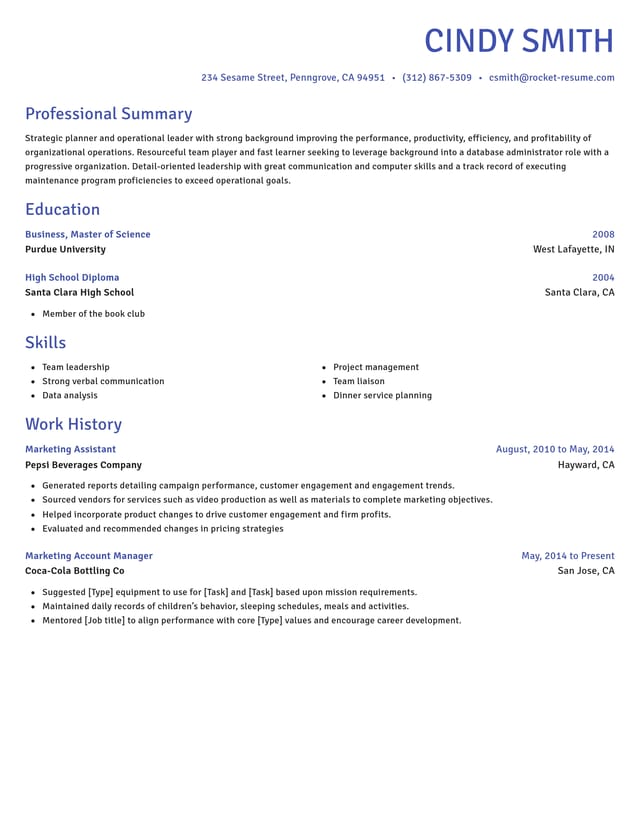
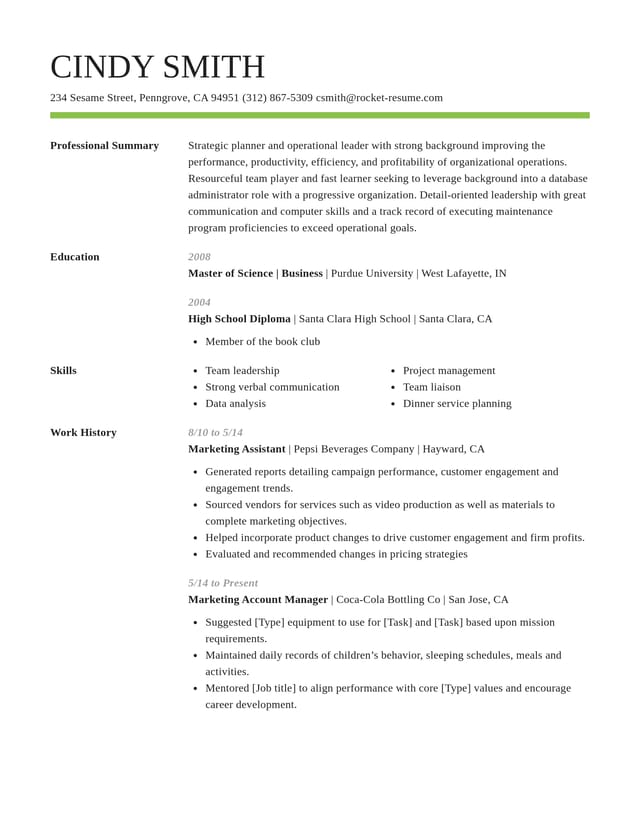
What the smart resume builder does for you

Starts each job with suggested lines
The title you give each job decides which AI-enhanced expert suggestions appear. Choose those true to your work and fill in your own figures.
Sets every section in place
Your design handles spacing and alignment, so the fifth job you add lines up as neatly as the first.
Keeps the structure easy to screen
Standard headings in the usual order let screening software read your jobs, dates and skills, and let a recruiter find them at a glance.

Keeps your options open
Switch templates without losing a line, or duplicate your resume to tailor a copy for another job.
Why specific, relevant lines matter now
“This service is amazing, a customer for life.”

“We come back to Rocket Resume, it's the best!”

Smart resume builder questions
What is a smart resume builder?
It's an online builder that takes you through the sections in order, suggests AI-enhanced wording from each job's title and keeps the layout tidy as you go. You choose which lines stay and add the details only you know.
Is a smart resume builder the same as an AI resume builder?
Mostly, yes: both use AI to suggest wording. "Smart" usually covers the rest of the help too, such as guided steps and an automatic layout, and at Rocket Resume it's all one builder. For how employers view AI help, see our AI resume builder page.
Do I have to use the suggested lines?
They're there to start from, so use as many as fit. Most jobs read best with a mix: two or three suggestions with your numbers added, plus one line only you could write, such as a project you led or a problem you fixed.
What if my job didn't come with numbers?
Describe the difference you made. Name the people, money or equipment in your care, then what got better. "Caught a duplicate billing error before the month-end close" is specific without a single figure.
Are the suggestions written for my industry?
Mostly, because many job titles belong to one field. Where a title spans several, such as receptionist, the lines are the same at a clinic or a law firm, so add your setting: the patients, clients or systems you worked with. See the industry examples below for your field.
Is a smart resume builder ATS-friendly?
Ours is. Every template uses clear headings and real text that applicant tracking systems can read, and recruiters can scan it quickly too. No builder decides how an employer's system scores you, so the words in your lines still matter.
How quickly can I get a first draft?
For most people, in under 10 minutes. Keep your employers and their start and end dates on hand, and it goes even quicker.
Build from an example in your field
Featured this week

 9 examples
Veterinarian Assistant · Locum Tenens Veterinarian · Professional Pet Groomer

 21 examples
Mental Health Counselor · Behavioral Health Technician · Life Coach
- 38 examples
- 9 examples
- 94 examples
- 106 examples
- 63 examples
- 38 examples






Show all 48 industries (A–Z)Show fewer
- Aerospace & Defense, 8 examples
- Agriculture, 23 examples
- Apparel & Textiles, 13 examples
- Architecture, 15 examples
- Artificial Intelligence, 6 examples
- Arts & Entertainment, 24 examples
- Automotive, 21 examples
- Beauty & Personal Care, 17 examples
- Biotechnology & Life Sciences, 7 examples
- Business Services, 23 examples
- Chemical Engineering, 4 examples
- Childcare, 14 examples
- Construction, 106 examples
- Creative, 15 examples
- Customer Service, 17 examples
- Education, 94 examples
- Energy, 39 examples
- Environmental Science, 5 examples
- Finance, 63 examples
- Food & Beverage, 68 examples
- Government, 48 examples
- Healthcare, 160 examples
- Hospitality, 35 examples
- Human Resources, 18 examples
- Insurance, 10 examples
- Legal, 12 examples
- Logistics, 37 examples
- Manufacturing, 68 examples
- Marketing, 8 examples
- Media, 20 examples
- Military, 24 examples
- Mining & Metals, 9 examples
- Nonprofit, 8 examples
- Pharmaceuticals, 11 examples
- Public Relations, 10 examples
- Real Estate, 7 examples
- Retail, 38 examples
- Robotics, 11 examples
- Sales, 14 examples
- Security Services, 19 examples
- Social Services & Counseling, 21 examples
- Social Work, 14 examples
- Sports & Fitness, 96 examples
- Technology, 67 examples
- Telecommunications, 6 examples
- Tourism & Travel, 8 examples
- Transportation, 38 examples
- Veterinary, 9 examples
Don’t see your job title?

Customer feedback on the smart builder
from 4,000+ reviews