Resume samples to compare with
A smart resume speaks to the job in the posting. Read the sample closest to that job, then get suggestions matched to the title and keep the ones that fit you.
- Suggestions keyed to the job
- Check relevance against the job ad
- Samples across many industries
- Edit everything you add

Match a sample to the job posting
Choose the sample closest to the posting you're answering and compare it with the job ad before you write.
- Customer service resume example(opens in new tab)
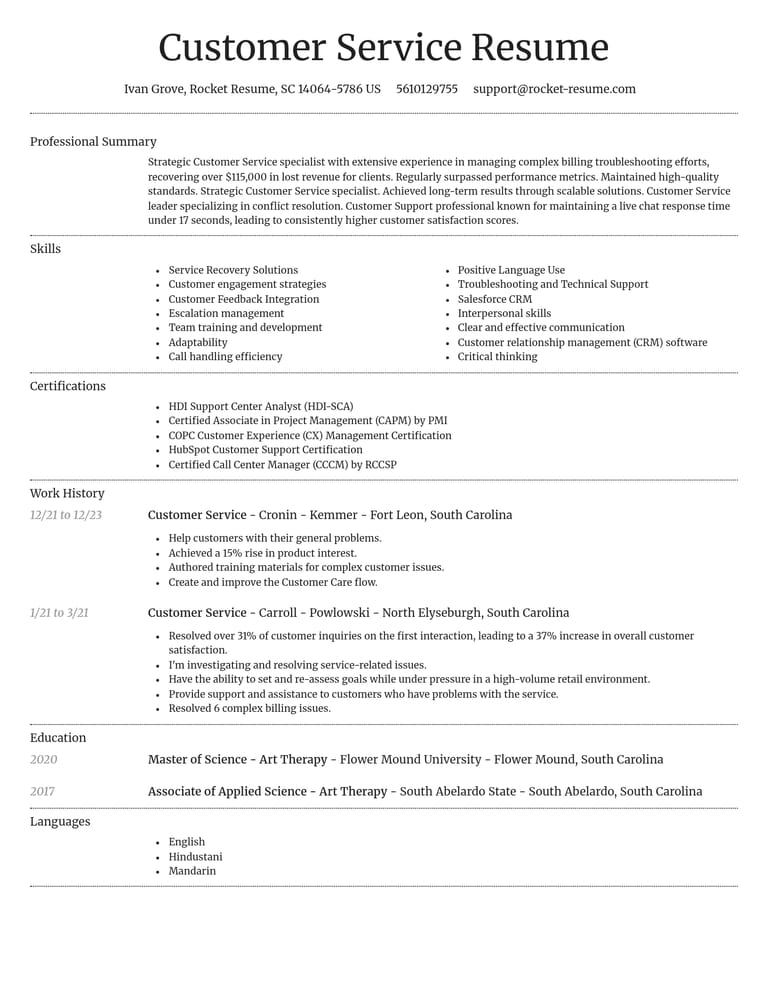
Resolving customer problems and keeping account records up to date.
- Teacher resume example(opens in new tab)
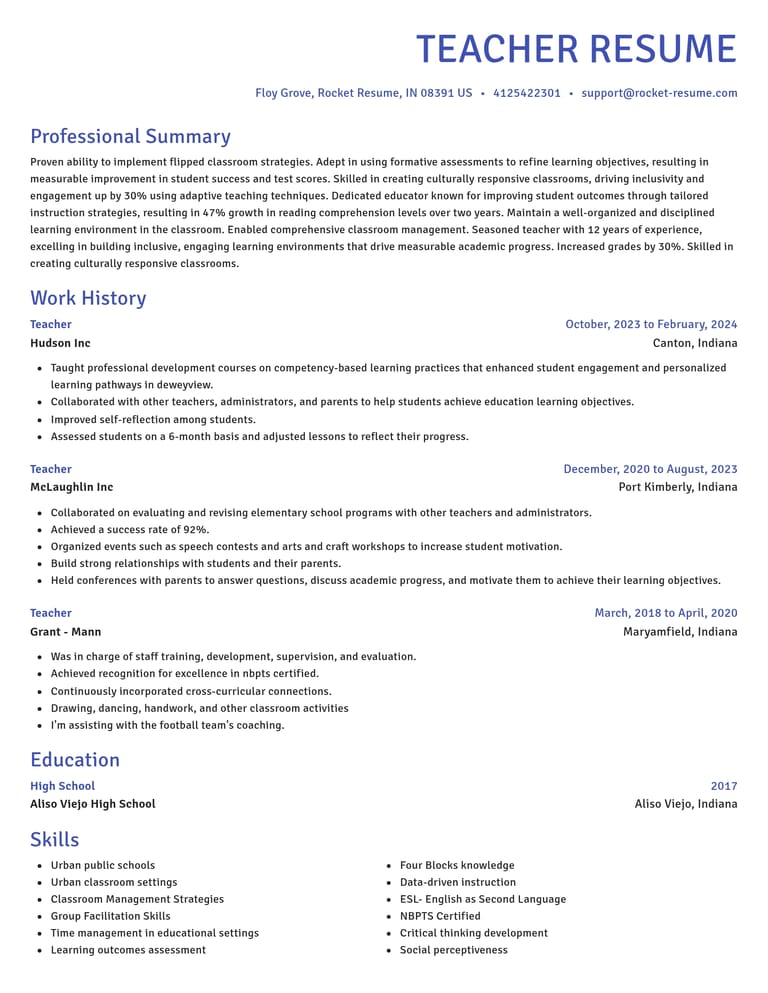
Teaching lessons, advising students and talking with parents.
- Human resources assistant resume example(opens in new tab)
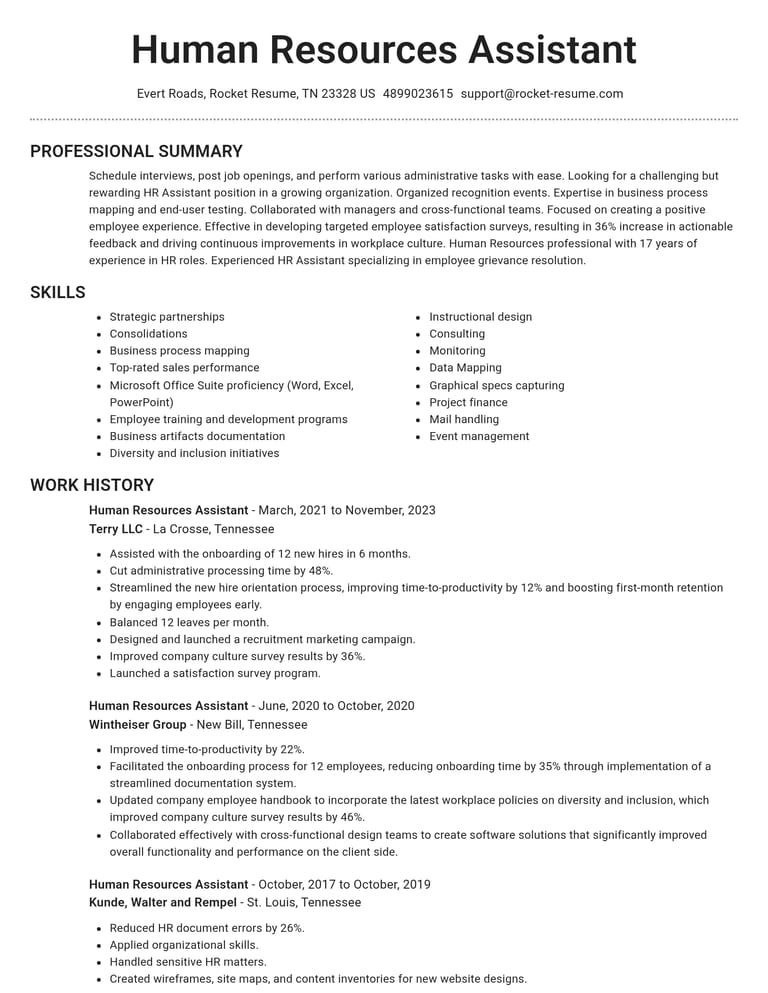
Onboarding new hires, updating HR records and handling office paperwork.
- Medical assistant resume example(opens in new tab)
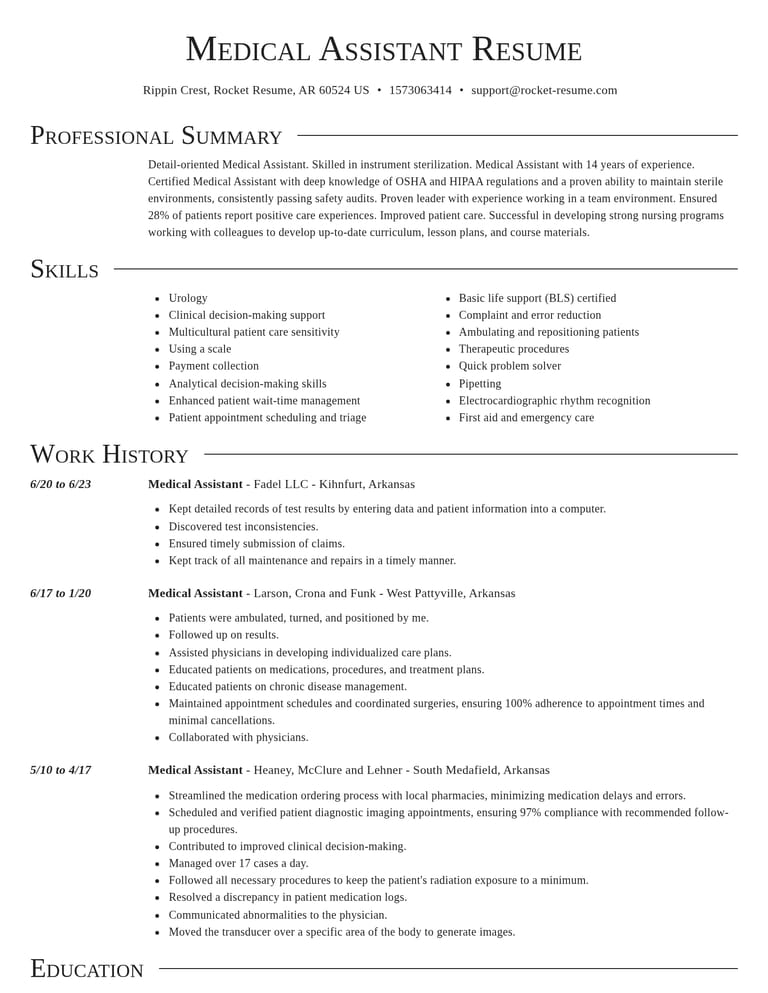
Rooming patients, recording vital signs and preparing specimens.
- Mechanic resume example(opens in new tab)
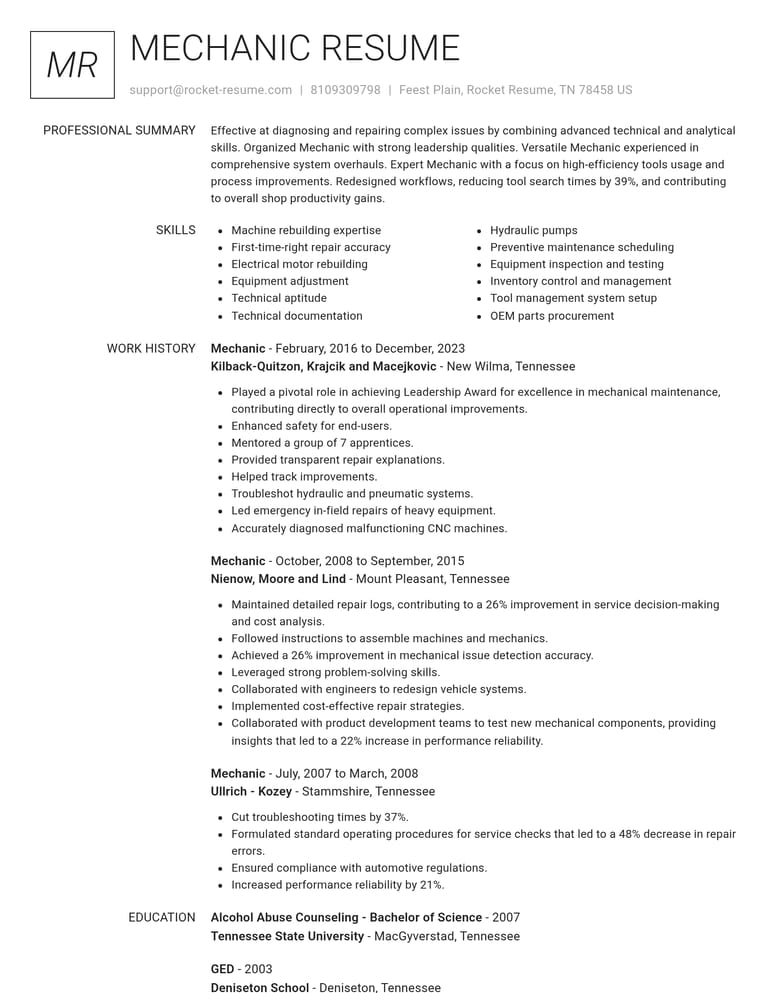
Diagnosing electrical problems, ordering parts and keeping repair records.
- Journeyman electrician resume example(opens in new tab)
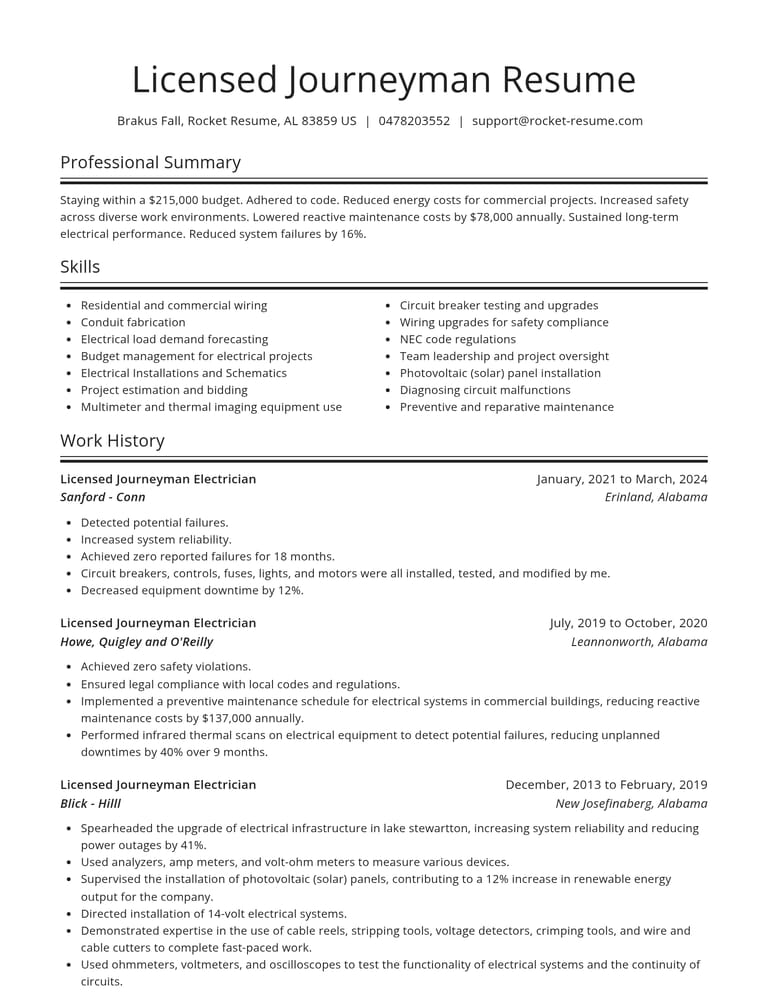
Reading wiring diagrams, doing rewiring and keeping safety records.
- College student resume example(opens in new tab)
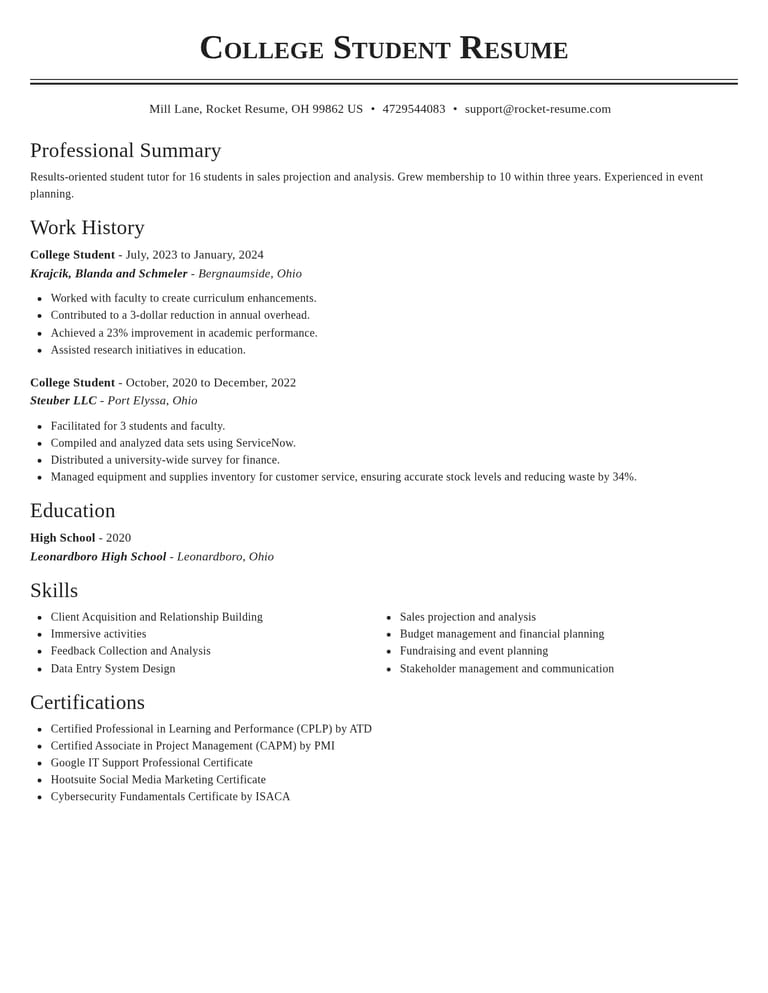
Showing coursework, campus jobs and volunteering when work history is short.
- Inside sales representative resume example(opens in new tab)
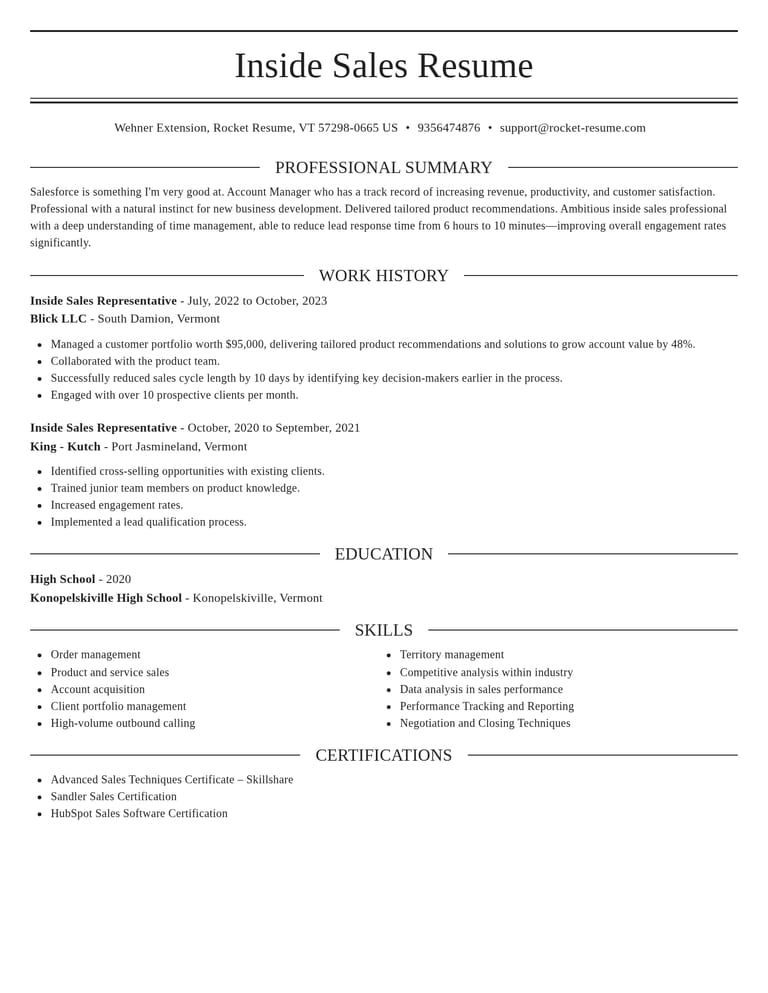
Following up leads, setting up contracts and keeping account records.
- Gas station cashier resume example(opens in new tab)
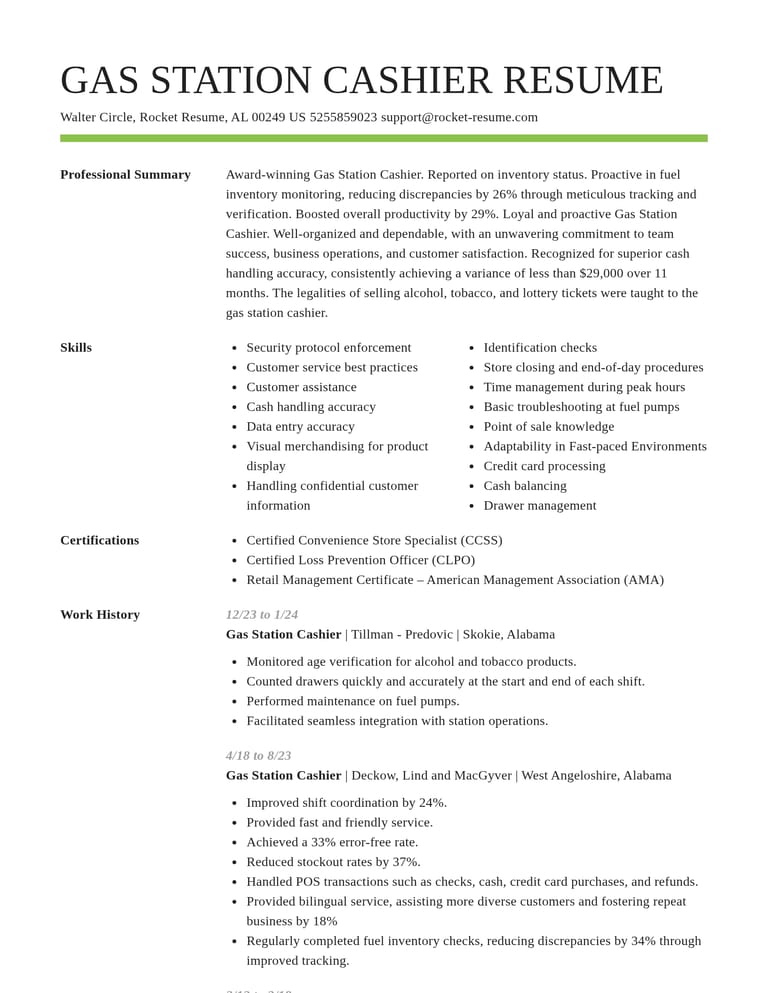
Counting the cash drawer and checking IDs for age-restricted sales.
- Fine dining server resume example(opens in new tab)
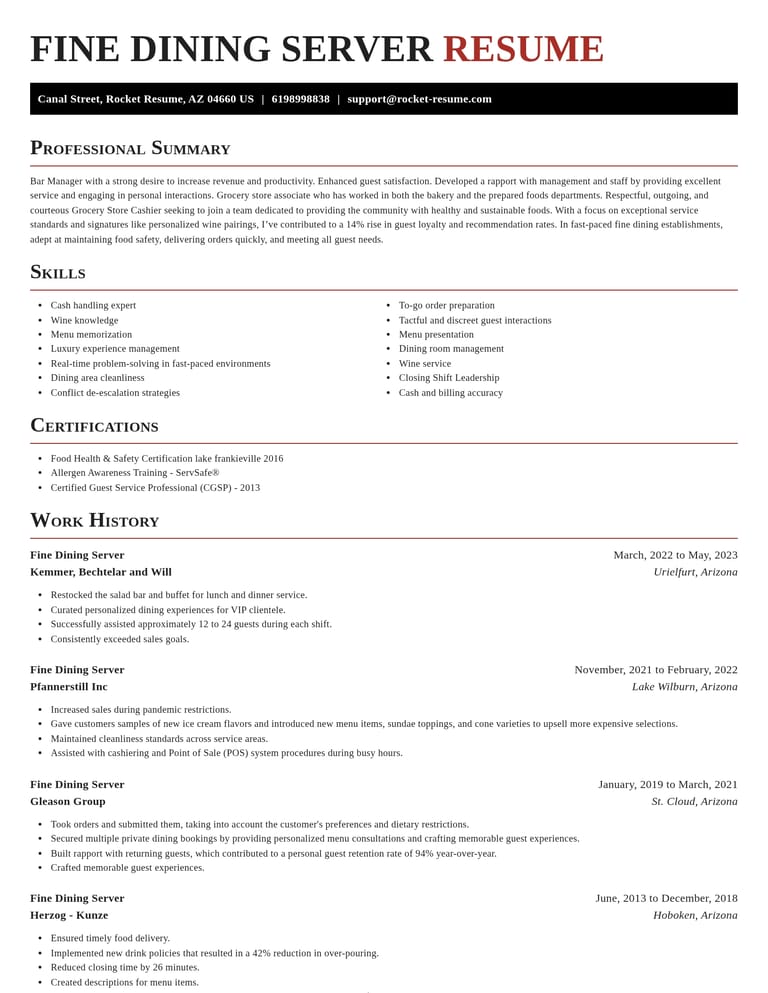
Knowing the menu, turning tables and handling cash.
- Social worker resume example(opens in new tab)
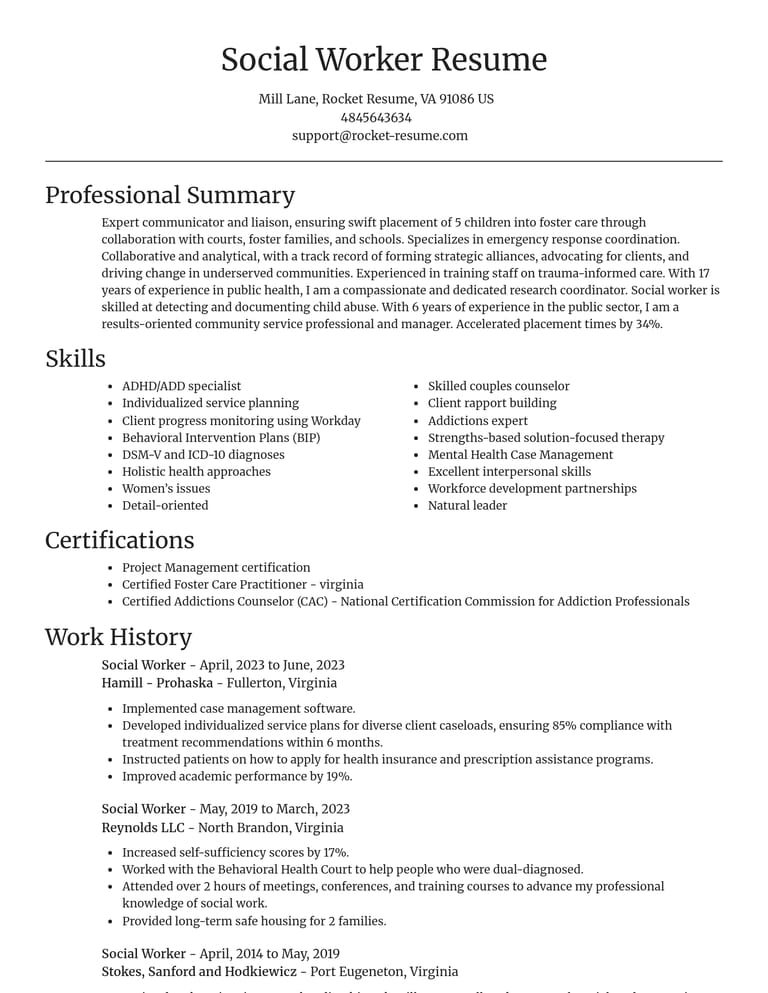
Completing risk assessments and making home visits.
- Software engineer resume example(opens in new tab)
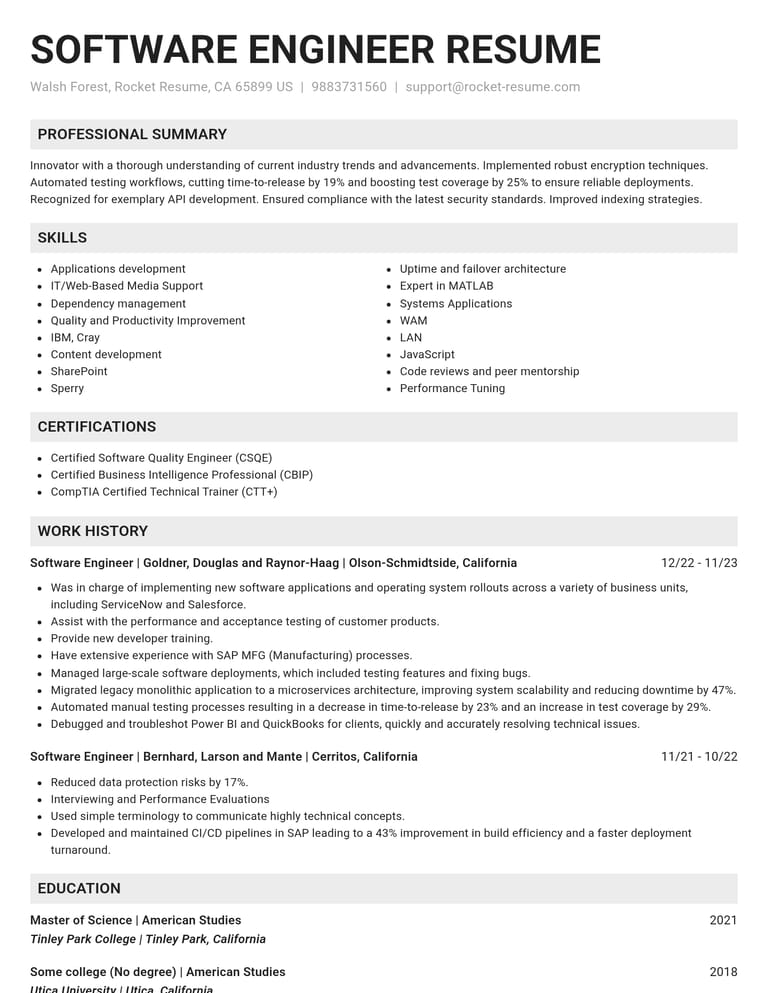
Writing and testing code and managing releases.
Resume suggestions to adapt
Save suggestions for your resume
Tap the bookmark next to any suggestion to save it.
Saved itemsThe examples, skills, job titles and industries you save, together in one place.
RecommendedPages, searches and examples you used but haven’t saved.
In the builderYour saved suggestions show up in the resume builder, ready to add as you write.
You’re in controlYour saved items are private. Remove any of them at any time.
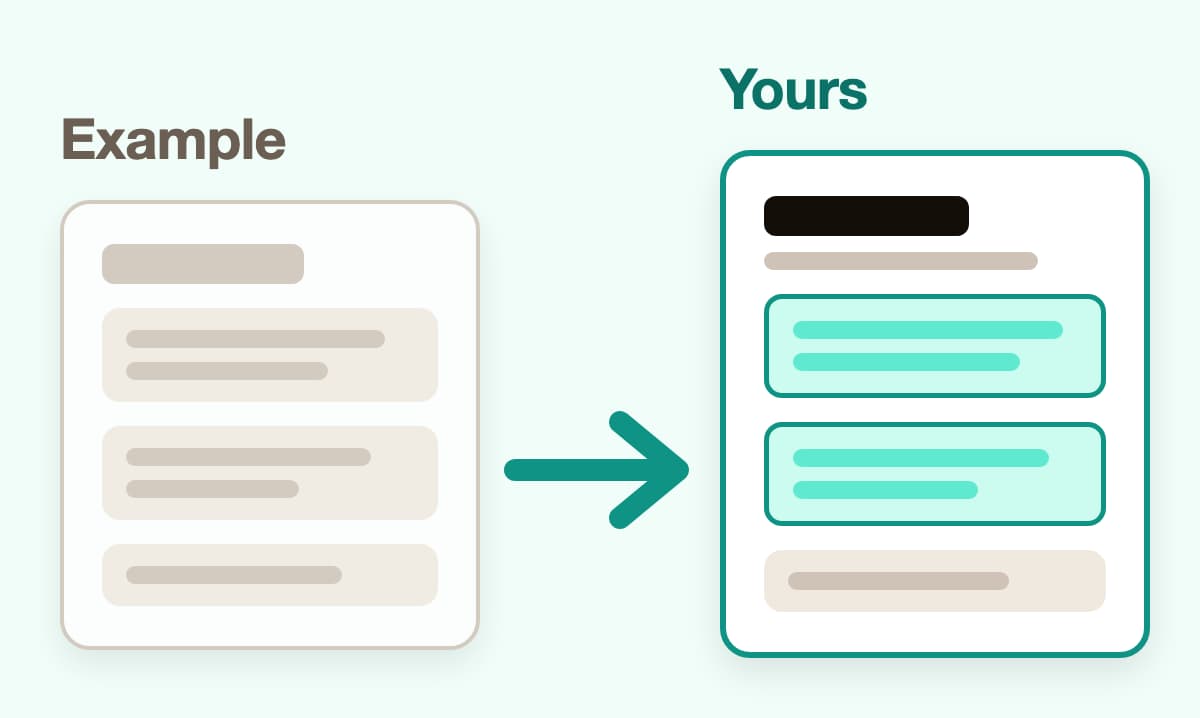
What the builder adds to your example
Use the example to decide what belongs on your resume. Then add your own experience in the builder.
- Suggestions built around your role
Type the title you want and choose from the suggestions. Check each one against your own duties, tools and results before adding it.
- Designs to suit your style
Choose a traditional, modern or creative template and check your text in it. You can change the design without retyping your content.
- Duties turned into results
Guidance at each step helps you show what you achieved, not only what you were assigned.
- One resume per kind of role
Make a duplicate for each type of job you're applying for, then reorder sections so each posting's priorities come first.
- Work through one section at a time
Keep the example nearby while you work through your own sections. Check each detail against your experience before you finish.
From resume example to finished resume
Step 1
Open your job's example
Read the sample for its responsibilities and skills. Note what overlaps with your experience, including relevant projects or volunteering.

Step 2
Choose your design
Start the builder, tap through its quick background questions and choose a template. Swap it later and nothing you typed is lost.
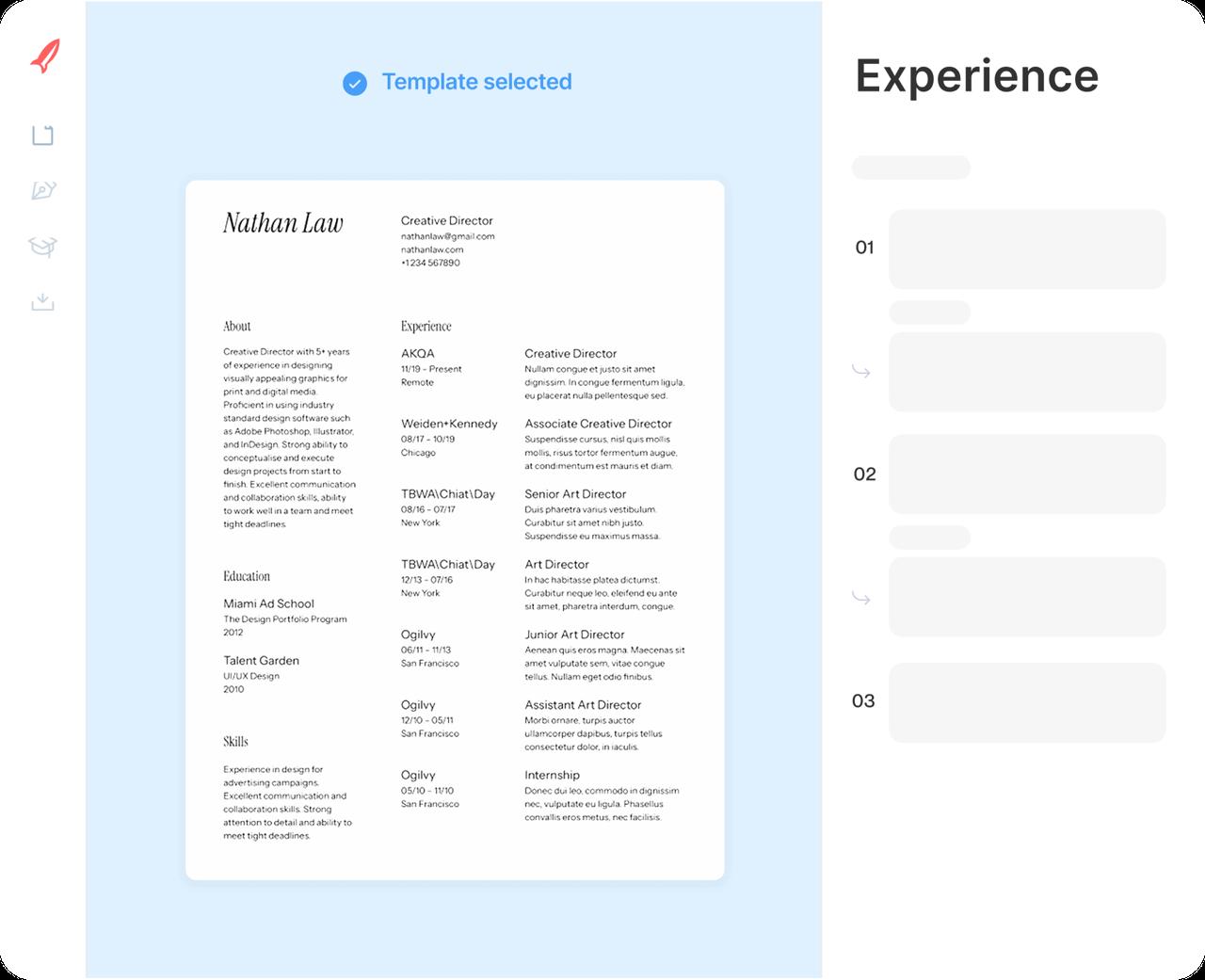
Step 3
Add your jobs with suggestions
Add each past job by its title and pick from the suggestions the builder offers. Keep what fits, then add details only you know.
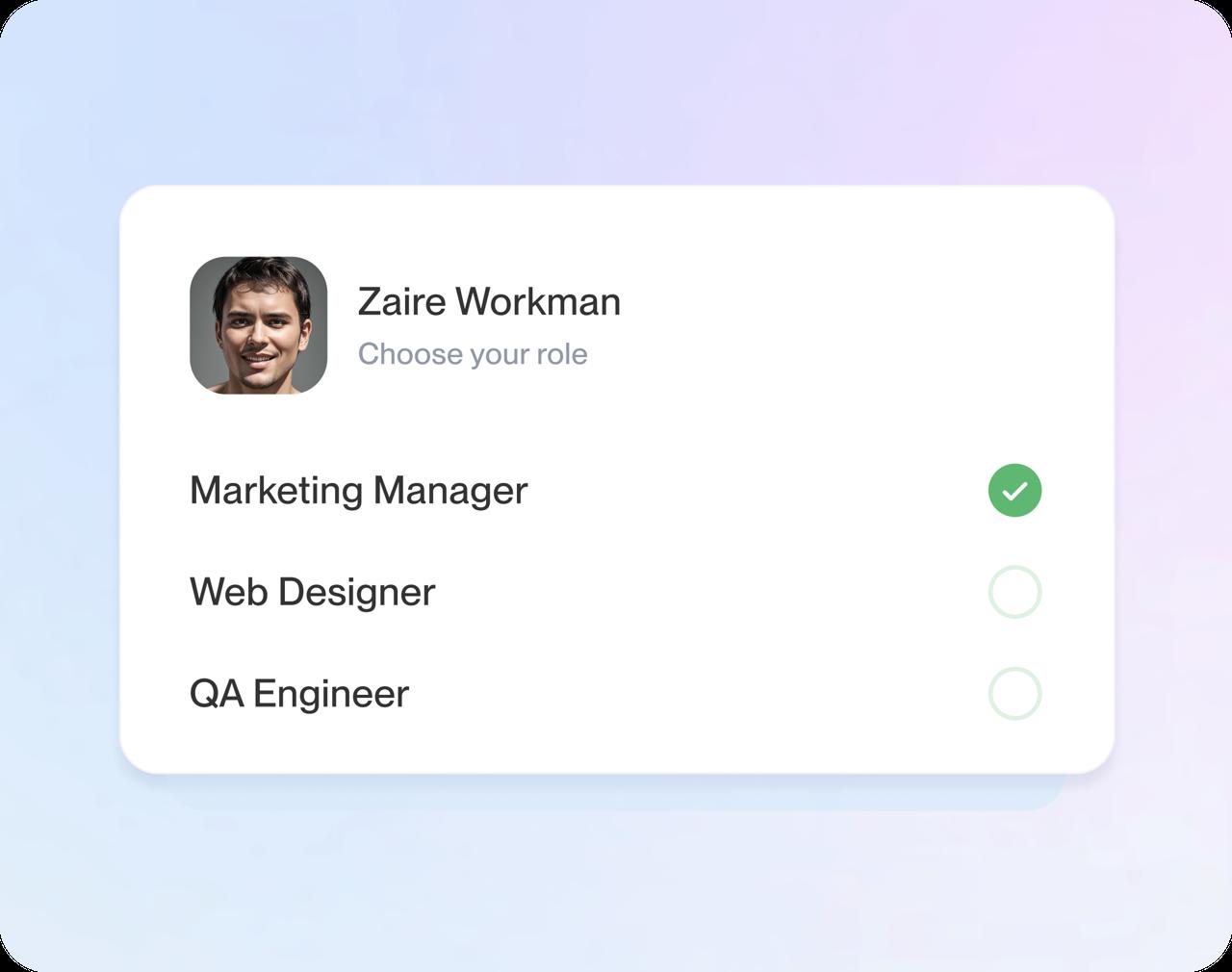
Step 4
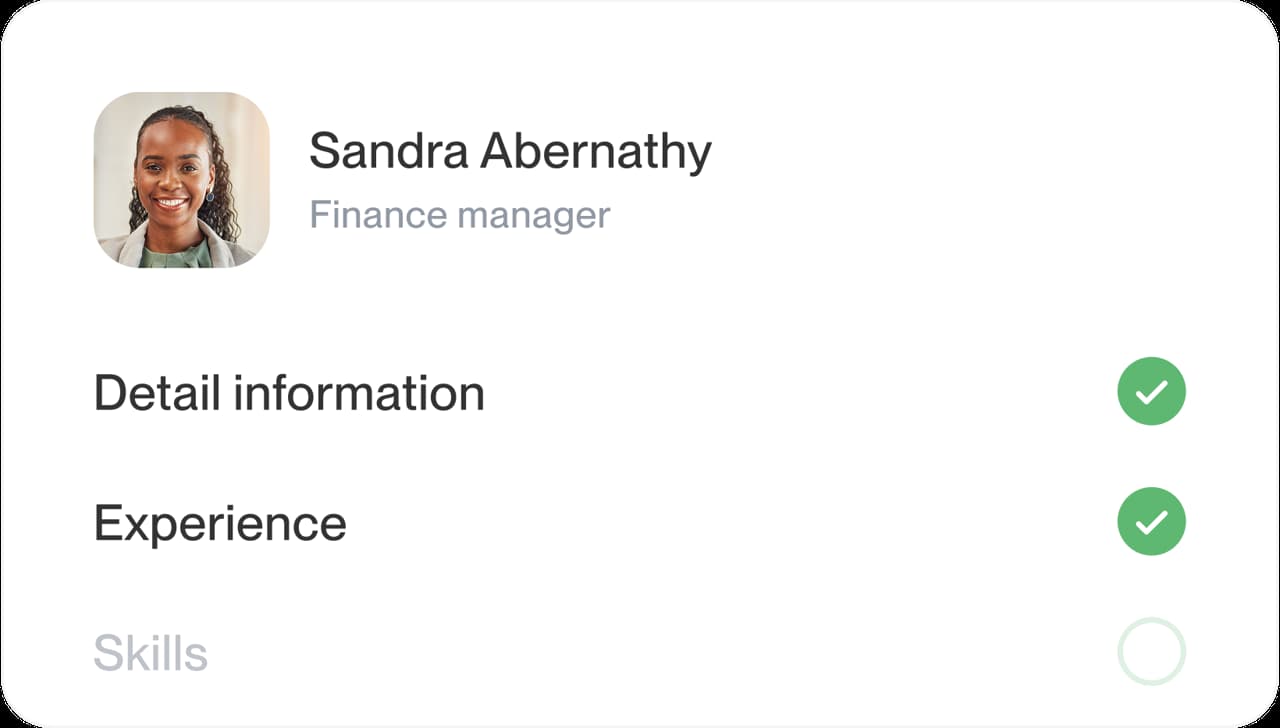
Preview and download
Read the full preview for missing details, unfamiliar claims and leftover placeholders. Download when the resume accurately describes your work.
Step 1
Open your job's example
Read the sample for its responsibilities and skills. Note what overlaps with your experience, including relevant projects or volunteering.
Step 3
Add your jobs with suggestions
Add each past job by its title and pick from the suggestions the builder offers. Keep what fits, then add details only you know.
Step 2
Choose your design
Start the builder, tap through its quick background questions and choose a template. Swap it later and nothing you typed is lost.
Step 4
Preview and download
Read the full preview for missing details, unfamiliar claims and leftover placeholders. Download when the resume accurately describes your work.

Read a resume sample alongside one specific opening
A useful resume sample gives you something to compare, not something to impersonate. Keep one opening in view while you read, so the sample helps answer a concrete question about your draft.
Identify the work behind the job title
Two openings with the same title can describe different days at work. An office assistant position might center on visitor reception, while another emphasizes supply records and internal scheduling.
Read the duties in the posting before deciding which sample is relevant. Mark the recurring activities in your own notes, then examine whether the sample spends its space on similar work or on a different version of the role.
Compare emphasis rather than matching phrases
Notice which responsibility receives the most explanation in the sample. That allocation of space can help you consider whether your draft gives too much attention to a minor task and too little to a central one.
Suppose the opening emphasizes equipment tracking, but your draft devotes most of its room to answering routine messages. If you also maintained an equipment register, that real responsibility may deserve a fuller description.
Separate a requirement from a writing example
A sample may mention a credential, supervisory duty, or tool that the posting does not require. Its presence in someone else's account is not a reason to add it to yours.
Likewise, a requirement in the posting still matters even if the sample leaves it out. Use the posting to understand the opportunity and your own records to establish what you can honestly claim.
Borrow the amount of explanation
Study how much context makes an unfamiliar task understandable. A useful description may name the item handled, the process used, and the person or team it supported without recounting every step.
For example, a sample about maintaining inventory might remind you to explain what kind of supplies you tracked. Your description should use your actual setting, not inherit the sample's warehouse, software, or level of responsibility.
Check what the sample leaves unanswered
A polished example can still be a poor match for your situation. If it centers on managing staff and you worked independently, its emphasis may offer little help even if the job titles match.
Consider a sample from a neighboring role when its tasks are closer. The useful connection is the work being explained, not a title repeated at the top of the page.
Turn the comparison into a writing decision
Choose one change to make after reading, such as clarifying a task or shortening an unrelated entry. Rocket Resume offers suggestions for the job title you enter; use a fitting suggestion as a draft and revise it with your own details.
Finish by reading your resume without the sample beside it. Each statement should stand on your experience, with no unexplained claims borrowed from the comparison.
What people ask about resume examples
What if the sample and the posting emphasize different duties?
Use the posting to decide which of your real responsibilities deserve attention. The sample is only a writing reference, so its priorities do not need to become yours. Look for a closer example if the mismatch makes it difficult to judge the level of explanation you need.
Can I use a sample from a different job title?
Yes, when the underlying work is relevant. A scheduling example from another field may help you explain coordination duties, for instance. Keep your actual position title and describe your own setting. Borrow the approach to explaining work, without adopting another person's qualifications or responsibilities.
Should every requirement appear in my resume?
Include requirements you can support with genuine experience or qualifications. Do not add a skill simply because the posting names it, and do not disguise a missing credential with similar language. Your resume should clearly present what you bring while leaving unsupported claims out of the document.
Browse examples by industry
Show all industries (A–Z)Show fewer
- Aerospace & Defense, 8 examples
- Agriculture, 23 examples
- Apparel & Textiles, 13 examples
- Architecture, 15 examples
- Artificial Intelligence, 6 examples
- Arts & Entertainment, 24 examples
- Automotive, 21 examples
- Beauty & Personal Care, 17 examples
- Biotechnology & Life Sciences, 7 examples
- Business Services, 23 examples
- Chemical Engineering, 4 examples
- Childcare, 14 examples
- Construction, 106 examples
- Creative, 15 examples
- Customer Service, 17 examples
- Education, 94 examples
- Energy, 39 examples
- Environmental Science, 5 examples
- Finance, 63 examples
- Food & Beverage, 68 examples
- Government, 48 examples
- Healthcare, 160 examples
- Hospitality, 35 examples
- Human Resources, 18 examples
- Insurance, 10 examples
- Legal, 12 examples
- Logistics, 37 examples
- Manufacturing, 68 examples
- Marketing, 8 examples
- Media, 20 examples
- Military, 24 examples
- Mining & Metals, 9 examples
- Nonprofit, 8 examples
- Pharmaceuticals, 12 examples
- Public Relations, 10 examples
- Real Estate, 7 examples
- Retail, 38 examples
- Robotics, 11 examples
- Sales, 14 examples
- Security Services, 19 examples
- Social Services & Counseling, 21 examples
- Social Work, 14 examples
- Sports & Fitness, 96 examples
- Technology, 67 examples
- Telecommunications, 6 examples
- Tourism & Travel, 9 examples
- Transportation, 38 examples
- Veterinary, 9 examples
What customers say about creating their resumes here
from 3,900+ reviews