Best resume builder? Judge it on
Looking for the best resume builder? Here's the help to expect with wording, layout and tailoring, and what Rocket Resume does for each, from job-title suggestions to ATS-friendly designs.
- Guided steps, one screen at a time
- AI-enhanced wording for each job title
- ATS-friendly layouts that hold their shape
- Copies you can tailor to each posting

Mitchel D.
Jan 2024
“A fantastic source for resume building.”

Pablo
Jul 2022
“I really appreciate all the great tools”

Tracy A.
Mar 2026
“User-friendly, I would recommend it to others.”

Jason B.
Feb 2025
“A great website, I got a job.”
from 4,000+ reviews


What the best resume builder should do at each stage
A resume comes together in four stages: getting started, writing each section, settling the design and tailoring it for each job you apply to. The best resume builder helps at every one of them. Writing usually takes the longest, so that's where help counts most. Under each heading below, you'll see what a good builder should take on, how to tell on screen that it has, and what is still up to you.
How should a resume builder help you get started?
It should break the work into short, guided steps and get you to real wording fast. A good sign is one screen at a time, each asking for a single part of your resume. Another is how soon help shows up: once you've picked a design and typed your latest job title, wording for that role should be waiting. If this is your first resume or a change of field, the FAQ covers both. The one thing no builder can settle for you is which job you're aiming for, and every choice after this depends on it. Rocket Resume asks about your experience, shows its designs, then moves to your contact details and latest job.
What writing help should you get for each section?
Wording to start from for your jobs, your summary and your skills, which you can then change. Builders tend to offer one of three kinds of help: empty boxes that leave every word to you, ready-made lines tied to the job title you enter, or a chatbot that writes whole paragraphs you then have to fact-check. Ready-made lines give you a start you control, and they help most where a blank box is hardest to fill: the summary at the top and the skills list. A good sign is a summary screen that already has lines to choose from when you reach it. In Rocket Resume, the work history step offers AI-enhanced expert suggestions once you enter a job title, and the summary and skills steps start from suggestions for your most recent title. You can search a different title there if you're changing fields.
What a builder can't judge is which of your jobs matters most to the employer you want next, so give that one the most writing time. What to put on a resume goes through what belongs in each section, and the industry list further down leads to examples written for jobs in your field.
What should a builder do about design and layout?
Layout should be the builder's job: each line you add should drop into place with the spacing already set. If you've ever lined up dates with the space bar while formatting in Word, this is the part a builder should take off your hands. The sign it's working is a preview that stays neat as you go. For the look itself, compare a few designs in the template gallery. What a builder can't decide for you is what a recruiter should see first. Decide that early: your current role, a recent degree or a certification the job asks for. Then move that section up and check where it lands. In Rocket Resume, you can move a section higher and your page updates straight away. The builder features below cover what else it takes care of.
If you're weighing a design with a sidebar, read whether a two-column resume suits you.
How should a builder help you tailor each application?
It should let you copy a finished resume quickly, so your effort goes into the choices only you can make for each employer. Rocket Resume keeps every resume you save in My Library, where you can duplicate one and change only the copy. You'll know the builder has done its part when the copy opens with every job and result already in place, ready to trim. The trimming is yours: go through each line and ask whether this employer would miss it. When an older role adds nothing for this posting, shrink it to its title, employer and dates, and give the space to the work the posting asks about first. The last step of our guide to writing a resume shows how to match a resume to a posting.
Write, design and tailor your resume in Rocket Resume
Rocket Resume suggests wording for your job title, keeps an ATS-friendly layout in shape as you type and lets you duplicate your resume in My Library whenever a new posting comes up. Your time goes into the results only you can add. Many openings now draw hundreds of applications, as the hiring research shows, so a resume that makes your value easy to spot is worth the effort. Read the reviews from people who built their resumes here, then start in four steps:
- Answer the experience question and choose a design you like.
- Enter each job title, then keep the suggested lines that describe what you did there.
- Put in your own numbers, move your strongest section up and check the preview.
- Download your resume and start sending applications.
Start from a design that fits your work


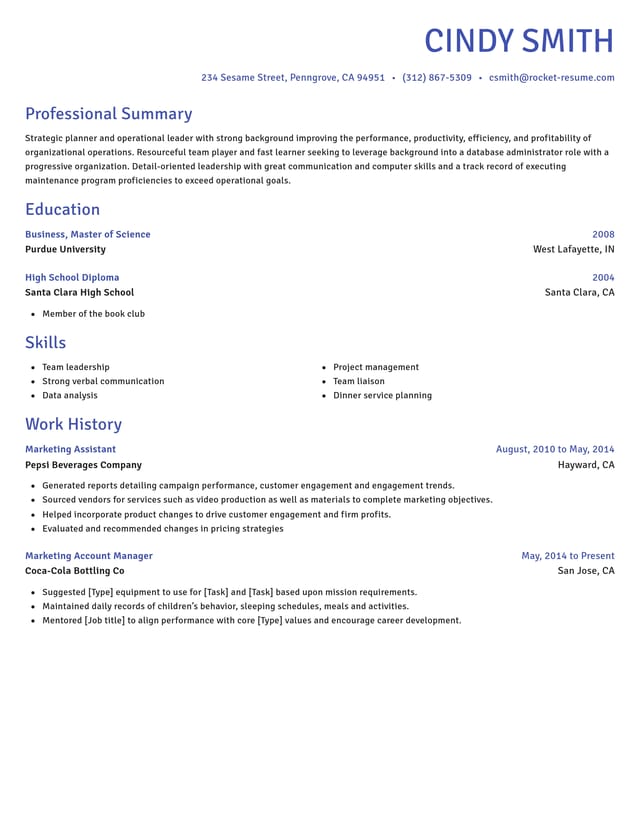
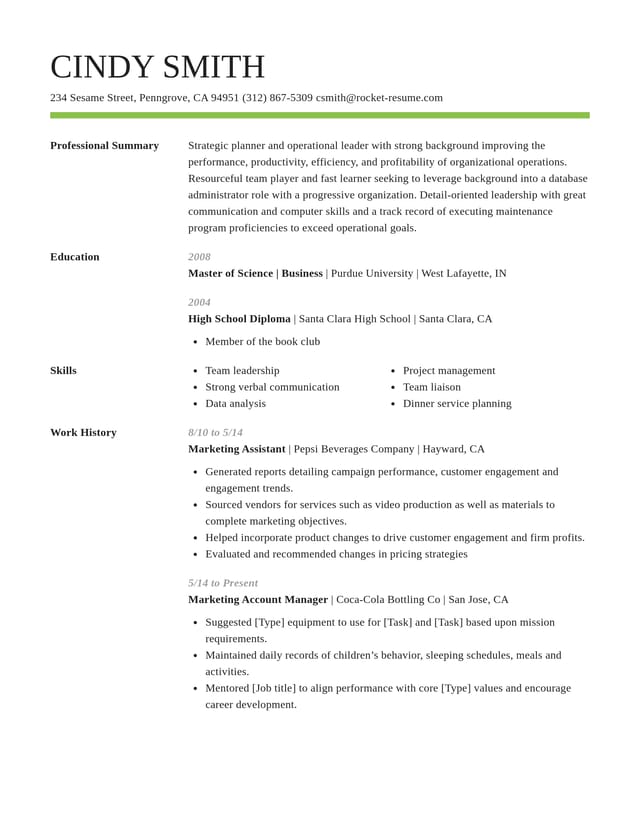
What Rocket Resume does for your resume

Stand out with specific lines
Each job title you add brings up AI-enhanced expert suggestions, giving you specific lines for your role to choose from and make your own.
Easy for screening software to read
Every template is ATS-friendly, with familiar section names and an orderly page that software can follow before a recruiter reads it.

Lead with what fits the job
Move sections up or down and watch the preview until the part of your history this employer cares about most sits at the top.

Show the difference you made
Reword any suggestion until it shows a result, such as orders handled or hours saved. Each edit appears on the page right away.
Why builder help counts when hiring is crowded
“This service is amazing, a customer for life.”

“We come back to Rocket Resume, it's the best!”

Best resume builder questions, answered
What's the best resume builder out there?
It depends where you need help most: lines suggested for your job title if wording slows you down, designs that set the spacing and headings if layout does, and quick copies for each posting if you apply often. Rocket Resume offers all three.
Should I try more than one resume builder?
You can. Judge each one on the part you find hardest, whether that's describing your jobs, writing a summary or getting the layout right. In Rocket Resume, what you add is saved to your account, so trying it out already gives you a first draft.
Which resume builder is best for ATS?
Treat ATS-friendly as the minimum any builder should meet, then compare the writing help, because your wording decides how well your resume matches each posting. Every Rocket Resume template is ATS-friendly, and suggested lines for each job title give you wording to adapt to the job ad.
Is the best resume builder the one with the most templates?
Not by itself. A handful of clean designs that suit your field will serve you better than a long gallery you scroll past. Rocket Resume offers modern, traditional and creative designs, every one of them ATS-friendly.
Which resume builder is best for a career change?
One that lets you put your most relevant section first, whatever it's called. In Rocket Resume, you can reorder the sections under your contact details, so skills for your new field sit above jobs from your old one, and reword each suggested line toward the work you want next.
Which resume builder is best for a first resume?
One that gives you wording to start from, since a first resume is hard to write from an empty box. Rocket Resume shows suggested lines for the job title you type, so a common part-time title such as cashier brings up its own, and you keep the ones that fit.
Build from an example in your field
Featured this week
 6 examples
Fiber Optic Technician · L1 Network Engineer · Mobile Repair Technician




Show all 45 industries (A–Z)Show fewer
- Aerospace & Defense, 8 examples
- Agriculture, 23 examples
- Apparel & Textiles, 13 examples
- Architecture, 15 examples
- Artificial Intelligence, 10 examples
- Arts & Entertainment, 24 examples
- Automotive, 21 examples
- Beauty & Personal Care, 17 examples
- Biotechnology & Life Sciences, 7 examples
- Business Services, 31 examples
- Chemical Engineering, 4 examples
- Construction, 107 examples
- Creative, 15 examples
- Education, 99 examples
- Energy, 40 examples
- Environmental Science, 5 examples
- Finance, 66 examples
- Food & Beverage, 68 examples
- Government, 48 examples
- Healthcare, 162 examples
- Hospitality, 36 examples
- Human Resources, 18 examples
- Insurance, 10 examples
- Legal, 12 examples
- Logistics, 39 examples
- Manufacturing, 68 examples
- Marketing, 18 examples
- Media, 20 examples
- Military, 24 examples
- Mining & Metals, 9 examples
- Nonprofit, 8 examples
- Pharmaceuticals, 12 examples
- Public Relations, 10 examples
- Real Estate, 7 examples
- Retail, 39 examples
- Robotics, 11 examples
- Security Services, 18 examples
- Social Services & Counseling, 21 examples
- Social Work, 22 examples
- Sports & Fitness, 96 examples
- Technology, 66 examples
- Telecommunications, 6 examples
- Tourism & Travel, 8 examples
- Transportation, 38 examples
- Veterinary, 9 examples
Don’t see your job title?

Hear from people who built their resume with us
from 4,000+ reviews