Data Entry Resume: Skills, Examples and Writing Tips
Typing speed, 10-key and the software a posting names are the first skills to show on a data entry resume. See how to prove them, with a full example.


Show accuracy through your work
Describe the records, tools and checking processes you used.
Explore CV samplesA data entry resume needs to show a hiring manager that you're fast, accurate and careful with information. Put the skills they screen for near the top, such as typing speed, 10-key (numeric keypad) speed and the software named in the posting, then prove each one in your experience bullets with what you entered, how much and how you checked it.
Postings may say data entry specialist, clerk or operator, but the work behind each title is the same: read source documents, enter the information into a system and catch mistakes before they spread. Your resume should show you can do all of it.
This guide covers the skills to list, a full example resume, before-and-after rewrites of common duties, summary and objective examples, tips if you have no experience, and where to find openings. If you'd like a layout to fill in while you read, pick a resume template.
Skills to put on a data entry resume
List the skills a data entry posting screens for in a labeled skills section near the top of your resume: typing speed, 10-key, spreadsheet and database software, and accuracy habits such as checking entries against the source. Then show each skill at work in your experience section. A skill named on its own is easy to claim and hard to believe; a bullet point that shows it in use is what makes it credible.
To show how you used data-entry skills in practice, explore resume suggestions.
Data entry is a skill in its own right, but the label alone says little. Name what you entered and where: "Data entry: invoices and purchase orders in SAP" tells a manager far more than "data entry." To see which tools come up in this work, look at the U.S. Department of Labor's O*NET profile for data entry keyers, which lists software such as Microsoft Excel and Access, QuickBooks, Salesforce, SAP and electronic medical records (EMR) systems.
Skill | How to list it | Example for your experience section |
|---|---|---|
Typing speed | Typing: [number] words per minute (WPM), from a recent test | Entered [number] order forms a day from scanned copies into [system] |
10-key (numeric keypad) | 10-key: [number] keystrokes per hour (KPH) | Keyed invoice totals and account numbers for [number] vendors by 10-key |
Spreadsheets | Microsoft Excel (VLOOKUP, pivot tables, data validation) | Built a VLOOKUP check that flagged mismatched customer IDs before each upload |
Databases and business systems | The system names from the posting, such as Salesforce, SAP or QuickBooks | Updated [number] customer records a week in Salesforce from phone and email requests |
Accuracy and verification | Data verification; error correction | Spot-checked [number] records a day against the paper originals and logged each correction |
Confidentiality | Handling confidential records | Entered patient intake forms into [EMR system] under [the employer's] privacy rules |
Time management | Prioritizing batches against deadlines | Turned around [number] rush requests a week the same day, alongside routine batches |
Only list a speed you can match on the spot, since a posting may ask for a typing or 10-key test. If you haven't measured your speed recently, take a practice test before you apply and list a result you can repeat; don't guess. The same goes for software: name only the Excel functions and systems you've used, because an interviewer may ask about any of them.
Soft skills such as attention to detail belong in your bullets more than in a list. O*NET's profile names related abilities: perceptual speed (quickly and accurately comparing letters, numbers or patterns) and selective attention (staying focused on a task without being distracted). On a resume, show them as results: duplicate records you caught, or a long batch you finished without a correction. For more on where each kind of skill goes, see hard skills vs. soft skills.

Data entry resume example
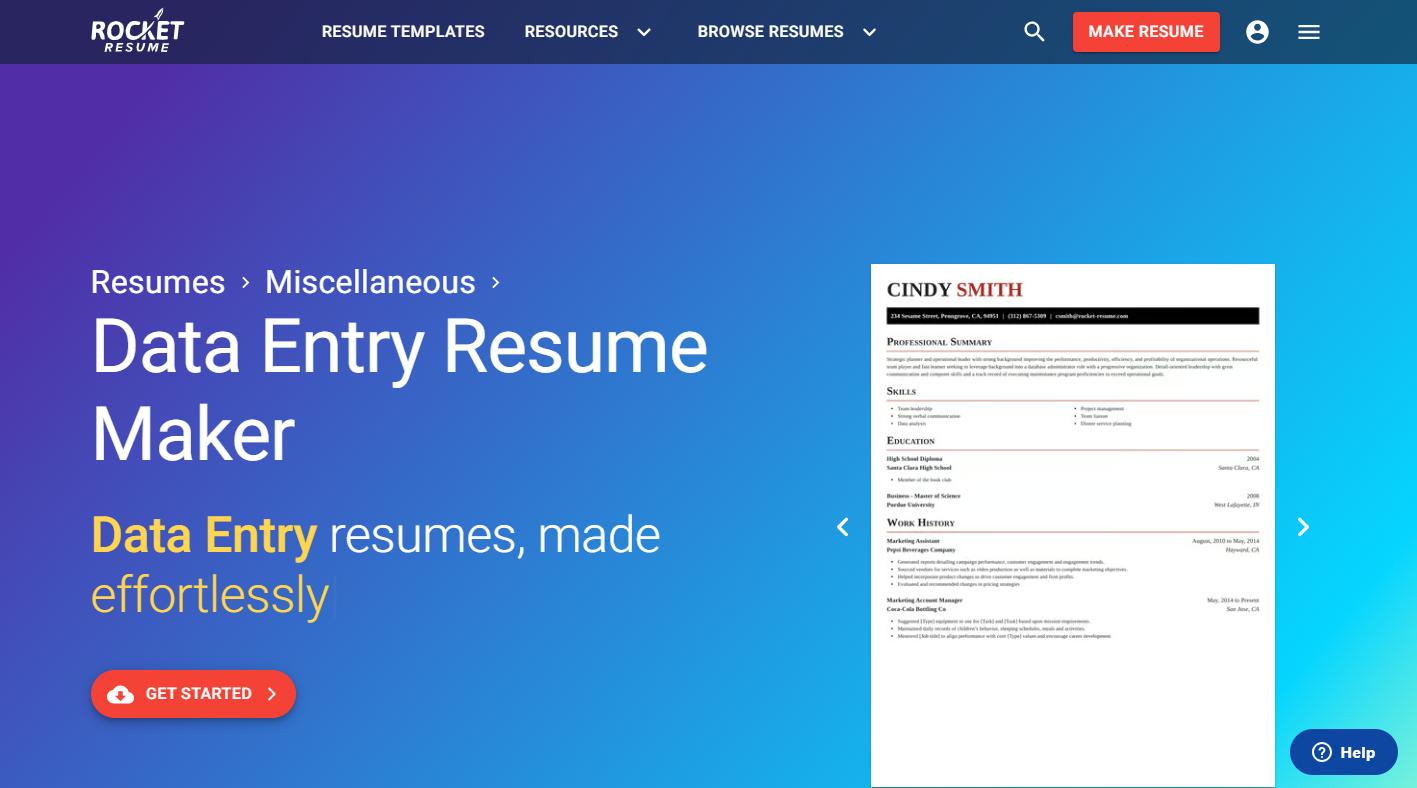
Here's what a finished data entry resume can look like. It's illustrative and describes no real person: swap each bracketed item for your own details.
[Your Name]
[City, State] · [phone] · [email address]
Summary
Data entry clerk with [number] years of experience entering invoices, purchase orders and vendor records in SAP and Microsoft Excel. Check every batch against its source documents before posting and keep a daily log of completed work. Typing speed [number] WPM; 10-key [number] KPH.
Skills
Typing ([number] WPM) · 10-key ([number] KPH) · Microsoft Excel (VLOOKUP, pivot tables, data validation) · SAP · Salesforce · Document scanning and indexing · Data verification · Confidential records
Experience
Data Entry Clerk, [Company Name], [City, State] · [Month Year] to present
- Enter [number] invoices and purchase orders a day from paper and scanned documents into SAP.
- Compare each batch with its source documents before posting, and correct or report mismatches to the accounts payable lead.
- Built an Excel check that flags duplicate vendor numbers before upload; duplicates found at month-end fell from [number] to [number].
- Scan, index and file completed documents so any record can be found by invoice number or date.
- Keep a daily log of completed batches and open questions for the next shift.
Office Assistant (part-time), [Company Name], [City, State] · [Month Year] to [Month Year]
- Updated customer contact records in [CRM system] from phone and email requests.
- Sorted incoming mail and paperwork, and kept shared-drive folders named and filed so coworkers could find records quickly.
Education and certifications
[High school diploma, GED or degree], [School], [City, State], [Year]
[Microsoft Office Specialist certification in Excel], [Month Year], if you hold it
Entering patient records instead of invoices? See these medical data entry clerk resume examples for a healthcare version.
How to describe data entry work on your resume
Describe each data entry job by what you entered, from what source, into which system, how much, and how you kept it accurate. Together those details turn "Responsible for data entry" into a bullet a hiring manager can picture.
O*NET's list of duties for data entry keyers makes a useful checklist: reading source documents such as canceled checks, sales reports or bills and entering the data; comparing data with source documents to detect errors; locating and correcting errors, or reporting them to supervisors; storing completed documents; and keeping logs of completed work. Copied onto a resume as is, that list reads like a job description and could describe anyone in the job. Rewrite each duty with your own details, as in these examples:
- Instead of "Entered data into the system," write: "Entered [number] insurance claims a day from scanned forms into [system]."
- Instead of "Checked data for accuracy," write: "Compared every entry with its source document and fixed or reported mismatches before the batch closed."
- Instead of "Fixed errors," write: "Found and merged [number] duplicate customer records during a quarterly cleanup of [CRM system]."
- Instead of "Filed documents," write: "Scanned, indexed and filed completed paperwork so any record could be pulled by account number."
- Instead of "Fast typist," write: "Cleared a backlog of [number] forms in [number] weeks while keeping daily entries current."
Start each bullet with a strong action verb such as entered, verified, reconciled, updated or indexed, so the reader sees the work before the detail.
Where to find your numbers. Look in what your job already records: batch or ticket counts in the system, your daily log, quality or audit reports, and turnaround targets you met. If nothing is tracked, estimate from a typical week, round down, and be ready to say how you got the figure. Leave out any percentage you can't explain.
Data entry resume summary and objective examples
Pick a summary if you've done data entry or other office work, even under another job title, and an objective if you're new to office work or still in school. Keep it to a few lines under your contact details and write it last, so it reflects your strongest evidence. If the posting is for a Data Entry Clerk role, use that title in your opening sentence so the match is obvious.
- Experienced (summary): "Healthcare data entry clerk with [number] years on a hospital registration team, keying patient and insurance records into [EMR system] and Excel. Enter [number] registrations a shift and turn corrections around the same day while keeping patient records confidential. Typing speed [number] WPM."
- Office worker moving into data entry (summary): "Receptionist with [number] years of updating customer records and booking appointments in [system]. Fast, careful typist ([number] WPM) with daily Excel use, ready to focus on data entry for [Company]."
- Remote applicant (summary): "Data entry specialist with [number] years of remote work for [type of company], updating records in Salesforce and reporting completed work in a daily log. Comfortable working to a set schedule without close supervision."
- New to office work (objective): "Recent [high school or college] graduate seeking an entry-level data entry position. Type [number] WPM, keep [a volunteer group's member list] in Excel, and check work against the source before submitting it."
Swap vague praise such as "detail-oriented team player" for something a manager can check: a system, a volume or a habit you can describe in an interview.
How to write a data entry resume with no experience
No data entry experience? You can still apply. O*NET places data entry keyers among jobs that need very little to some preparation, usually a high school diploma or GED, with training on the job. Your resume has to show you already have the basics: steady typing, spreadsheet skills and care with details.
Experience doesn't have to come from a paid data entry job. Look for places where you've already handled information carefully:
- School: spreadsheets, survey data or research records you collected and entered for a class. List them under education or a projects section.
- Volunteer work: sign-in sheets, donor lists, inventory counts or membership records you kept up to date. A volunteer experience entry counts as experience.
- Part-time jobs: stock counts, order entry, cash reports or appointment booking in retail, food service or reception work.
- Skills you can test: a recent typing test result and the Excel tasks you can do without looking them up.
How many bullets? About 3 to 5 bullet points for each experience, the range that career guides written for students at Ohio University and UMass Amherst suggest. Give your most relevant experience the most bullets and keep unrelated jobs short.
If you hold a skills credential, such as a Microsoft Office Specialist certification, list it under Certifications with the issuer and the date, and name it in your summary when the posting asks for it. Still in school? See how to turn coursework and part-time jobs into resume entries in our resume guide for college students.
Format and tailor your data entry resume
Your resume is a sample of your work, so make it as tidy as the records you'd keep. Use a reverse-chronological layout with your most recent job first, standard headings such as Experience, Skills and Education, a single readable font and dates in the same style throughout. If a posting names a file format, send that format.
Then check it the way you'd check a batch: read it line by line against your notes, and read the numbers a second time. A typo on a data entry resume undercuts the accuracy you're claiming.
Tailor it for each posting. Read the listing for the systems, record types and speed it asks for, and use the same terms where they're true: if it says "accounts payable" and "SAP," your bullets should too. That helps the person reading it and any software the employer uses to search applications; our guide to applicant tracking systems has more on keywords and layout.
To see how office-support skills read in a finished document, look through this sample administrative assistant resume breakdown. For layout choices and page setup, see how to choose a resume format, or compare designs on our resume templates page.
Where to find data entry jobs, including remote work
Search several channels at once: general job boards, staffing agencies that place office and clerical workers, and the careers pages of employers you'd like to work for. CareerOneStop, sponsored by the U.S. Department of Labor, has a Job Finder that brings together postings from employers and state job banks. Temporary assignments through an agency are worth taking early on, because they give you recent experience to put on your next resume.
Check remote listings closely before you apply. The Federal Trade Commission's guide to job scams warns that "honest employers, including the federal government, will never ask you to pay to get a job," and that no honest employer will send you a check to deposit and then ask you to send part of the money on. Walk away from any offer that asks for either, or that promises high pay for little work. Freelance marketplaces list project-based data entry work too; apply the same checks there.
If you'd like more variety than keying records, the same skills carry over to other remote office work; see our guide to becoming a virtual assistant.
Build your data entry resume
Add your skills, summary and experience section by section, with suggestions for your job title.
Frequently Asked Questions (FAQs)
How to put data entry on a resume
If data entry was part of another job, such as receptionist or office assistant, keep the title you held and put the data entry in that job's bullets: name the records, the system and how many you handled, for example "Entered [number] new customer accounts a week into [system]." Then list your typing and 10-key speeds in your skills section.
How to write data entry on a resume
Write “Data Entry” as a bullet point under your skills section and include specifics, like typing speed or software proficiency. In your work experience, detail any data entry duties you performed.
How to talk about a data entry internship on a resume
List it under experience like any job: your title with "Intern," the organization and the dates. Then write bullets that name the system you used, what you entered and anything you cleaned up or improved. If it's your most relevant experience, a "Relevant Experience" section puts it first.
How to list sales data entry on a resume
Use the title you held, or "Sales Data Entry Clerk" if that matches the work, and name the records and the system: "Entered [number] sales orders a day into Salesforce and matched order totals to the weekly sales report." Add any reports you built from the data.
How to prepare a cover letter for a data entry resume
Keep it short and specific. Name the job, give an example that shows accuracy and another that shows speed, and use the posting's terms for the systems you know. Close by offering to take a typing or skills test.
Final check before you apply
- Your skills section names your typing speed and the systems in the posting.
- Each bullet says what you entered, how much, and how you kept it accurate.
- Your summary or objective fits your experience level and uses the posting's job title.
- You can explain every figure on the page in an interview.
- You've read the whole resume against your notes, numbers included.
Ready to create your next data entry resume? Choose one of our recruiter-approved samples, and our resume builder will walk you through personalizing it to your needs. Rocket Resume makes it easy to craft a professional resume in minutes, so get started now.
Make each skill credible
Connect the abilities you list with specific examples from your experience.
Explore the CV generator